Certification Process
Once you have completed and submitted the questionnaire, the system will automatically redirect you to the certificate page.
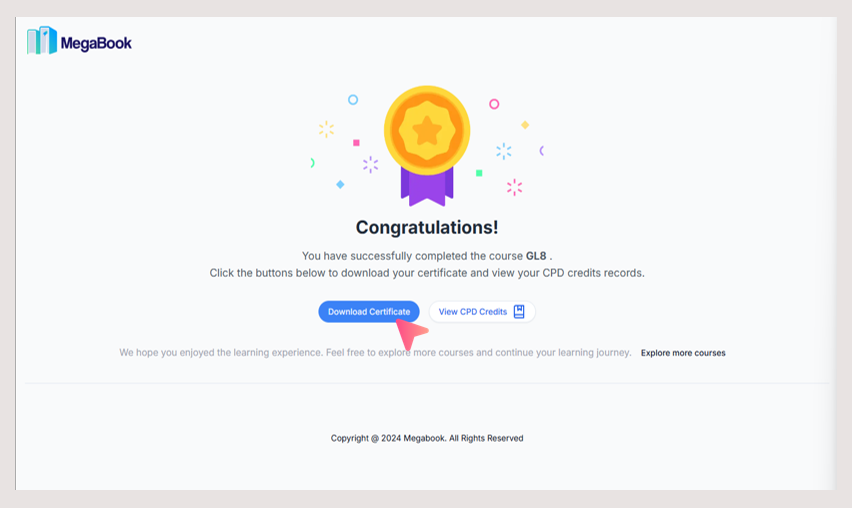
How to Download Your Certificate
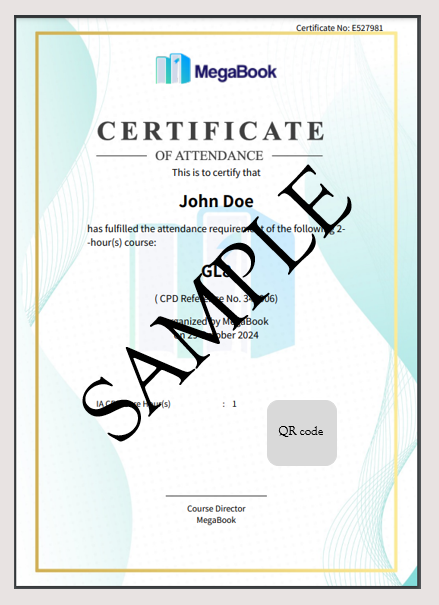
- On the certificate page, click Download Certificate.
Certificate Sample:
💡 I accidentally closed the certificate page. How can I download it again?
View and Download CPD Credits
1. View Credits
Go to the My CPD page to check the CPD credits you have currently accumulated.
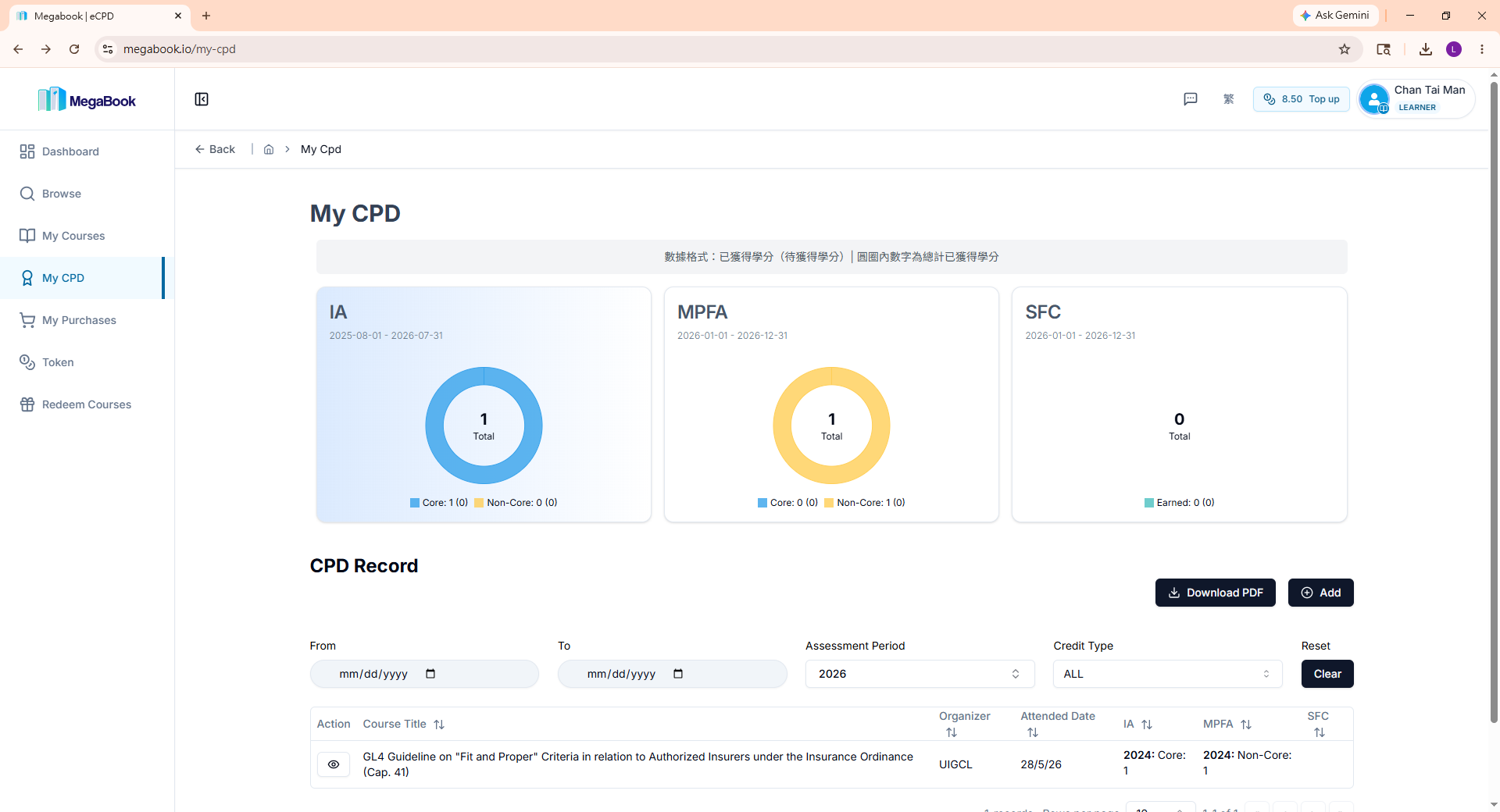
2. Download All Records
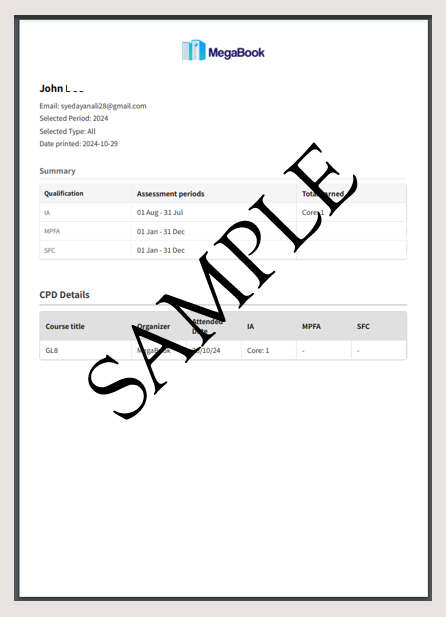
To export your data, click the Download PDF button on the page to download your complete CPD history records.
CPD Records Sample:
Frequently Asked Questions (FAQ)
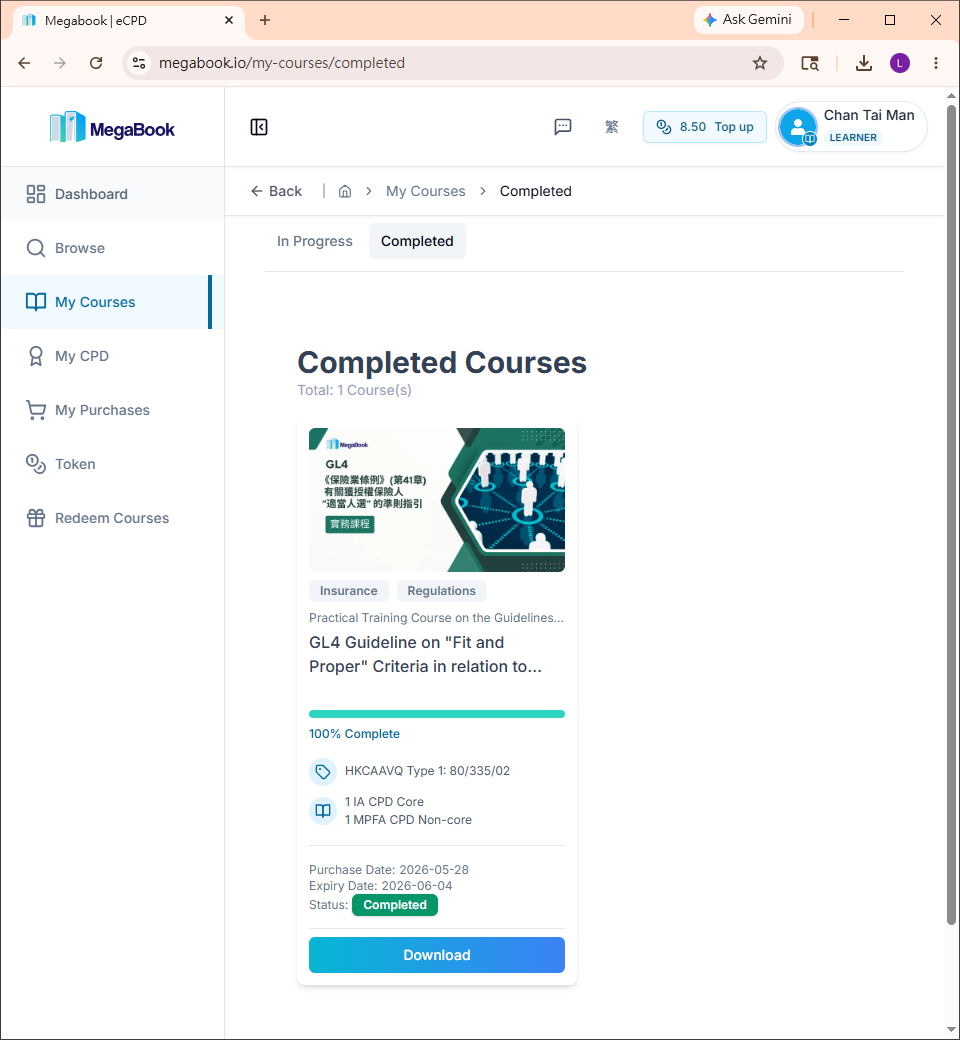
Q: I accidentally closed the certificate page. How can I download my certificate again?
A: Please follow these steps:
- Go to the Completed Courses page.
- Find the corresponding course and click the Download button below it.
Q: Why are my newly earned credits not showing up on the "My CPD" page even though I just completed the course?
A: There are usually two reasons why credits might not appear immediately:
- System Delay: After completing a course, the system takes about 1 to 10 minutes to process. Please try refreshing the webpage or check back later.
- Incomplete Survey Submission: Please ensure that you have successfully submitted the survey.
💡 If your credits still do not show up after 30 minutes, please contact us.