How to enroll in a course
Preparation
You have logged in to your account (if you need help, please see the Login Guide)
Enrollment Steps
1. Go to the Courses Page
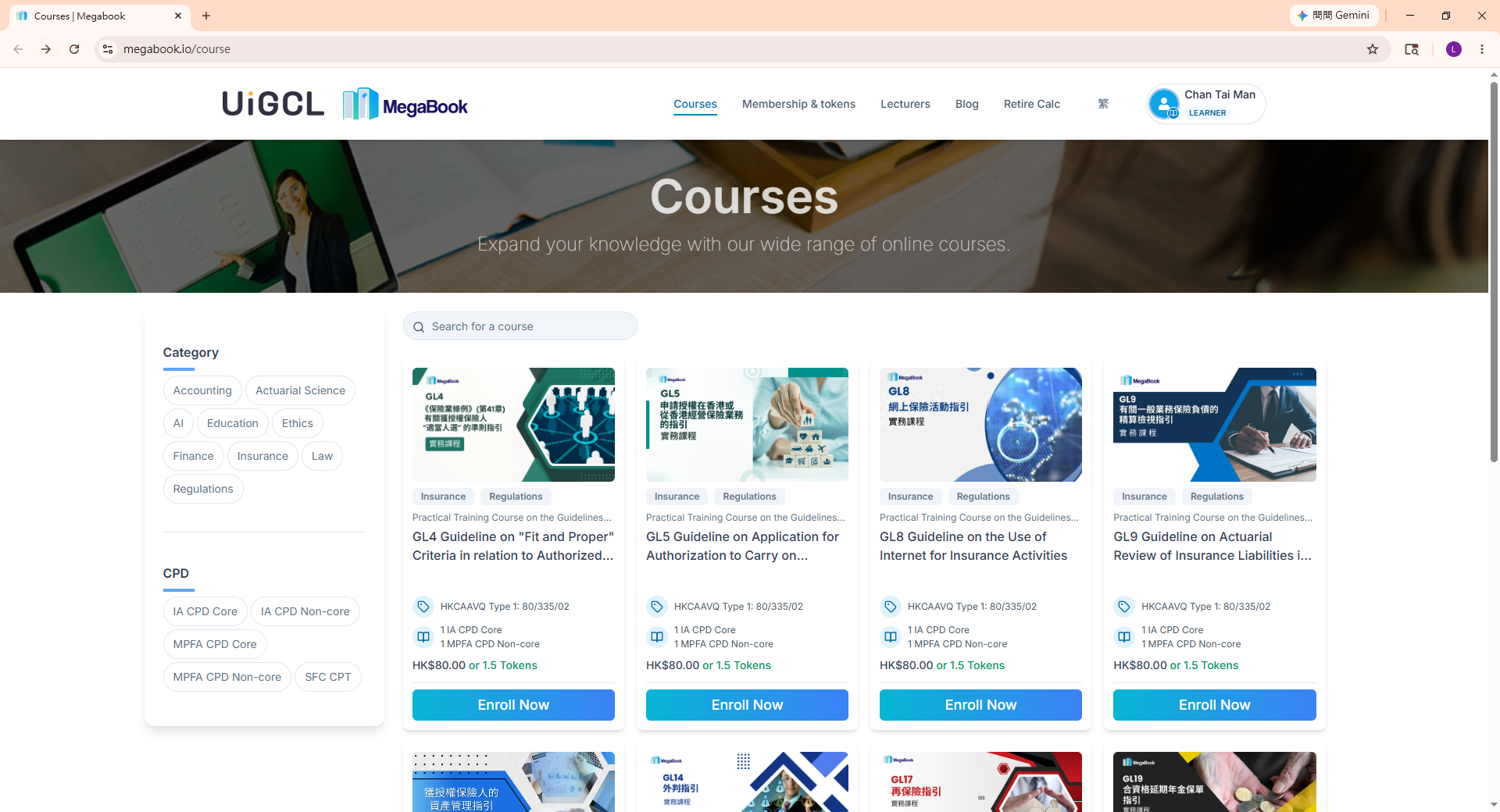
Go to the Courses Page and choose the course you are interested in.
2. Eroll in a course
Click the "Enroll Now" button under your chosen course to proceed to the checkout page.
3. Select Payment Method
- Select your preferred online payment method.
Example: Paying with tokens
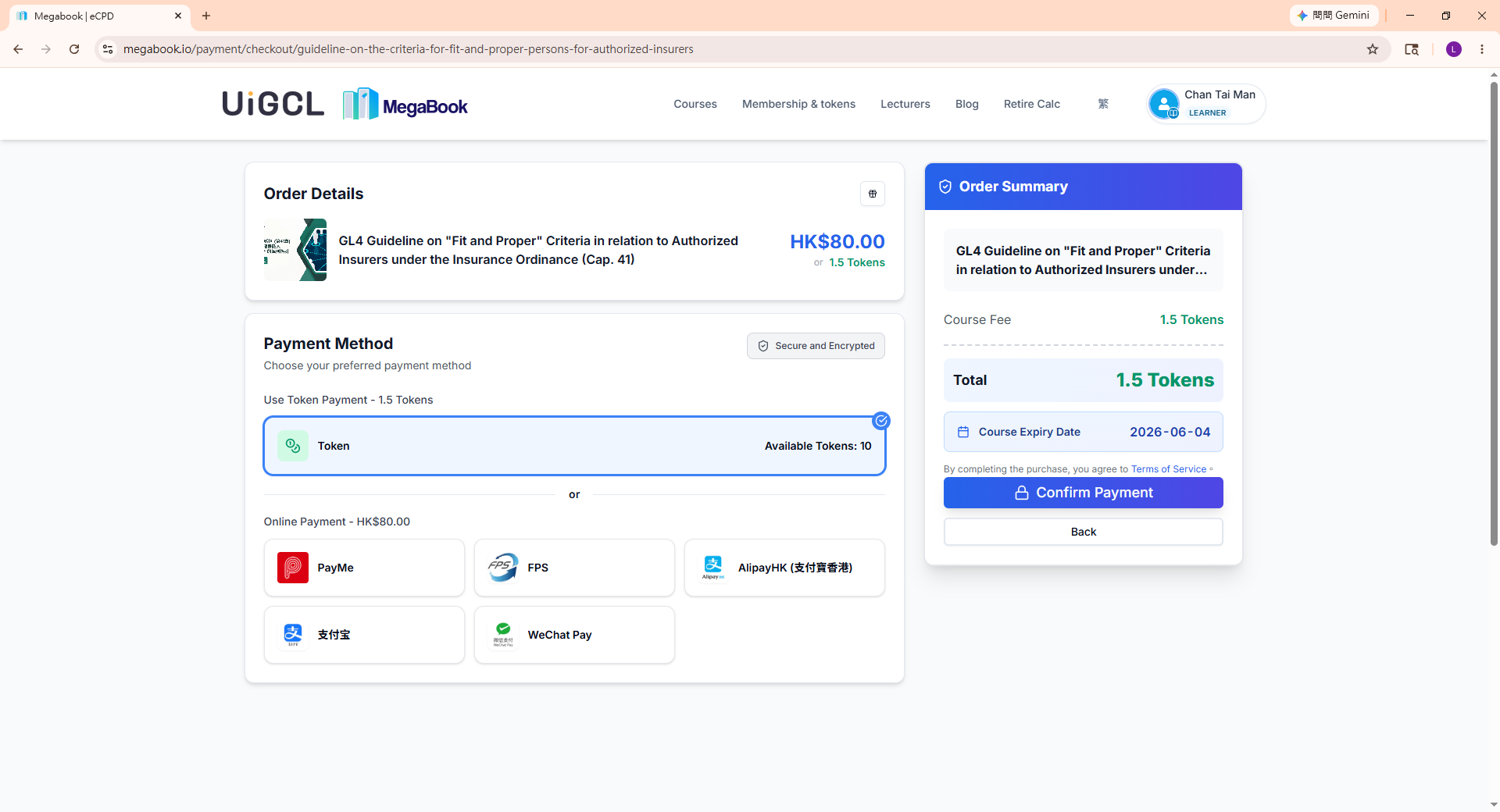
- Click "Confirm Payment"
3. Confirm Successful Payment
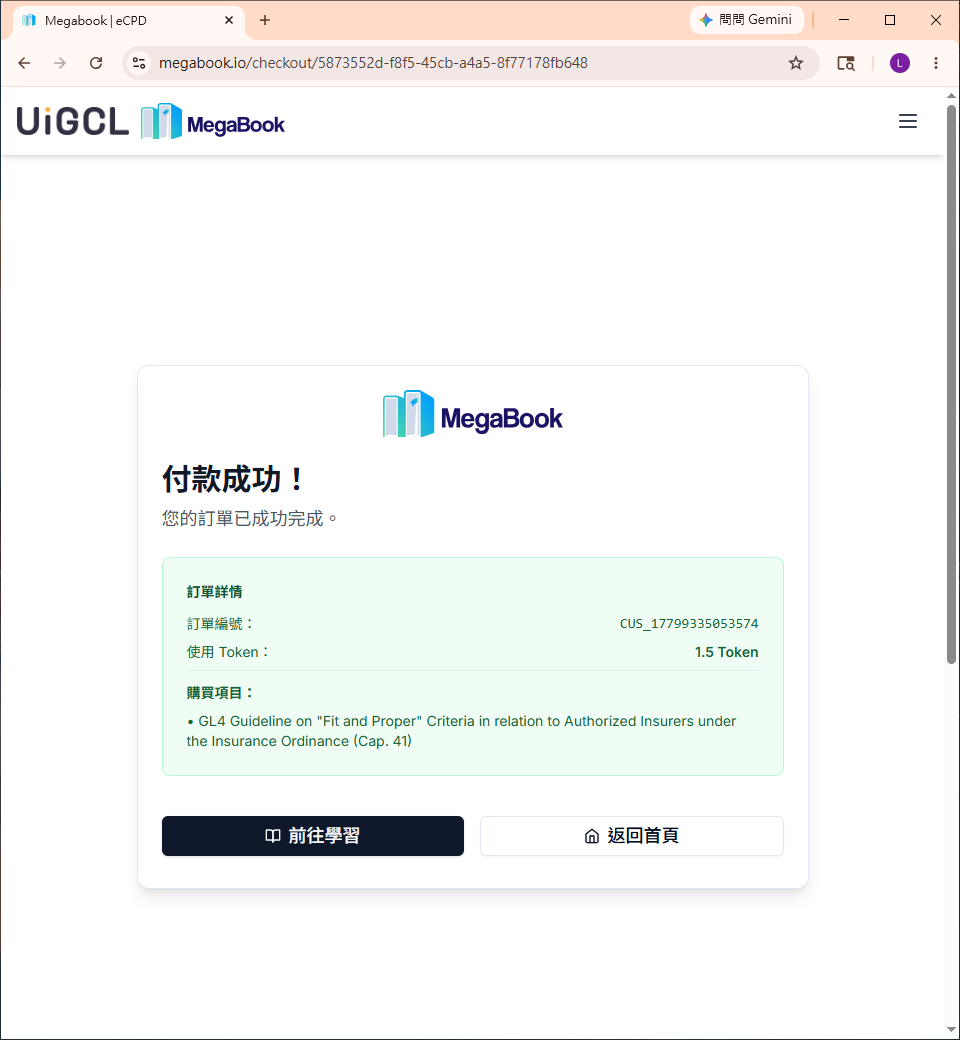
Once the payment is successful, you will see the following confirmation page:
4. Start Learning
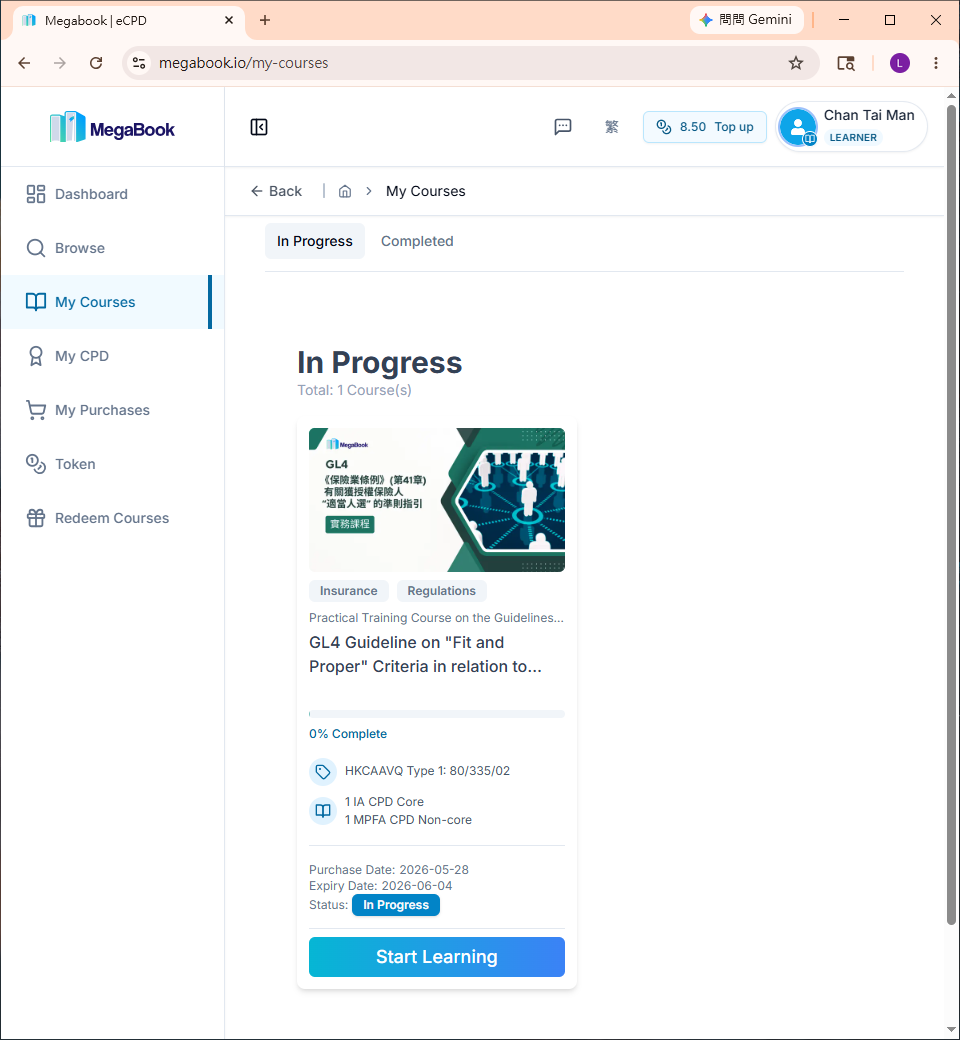
Go to My Courses to instantly access and start learning your recently purchased course.