Login
By logging into your account, you can:
✅ Enroll in courses
✅ Access enrolled courses
✅ Save your learning progress
✅ Pick up where you left off
✅ Update your personal information
✅ Upgrade your membership plan
Preparation
Before you begin, please make sure you have a member account.
Don't have an account yet? Please see the Sign Up Guide.
Login Steps
1. Go to the Login Page
- Open the Login Page
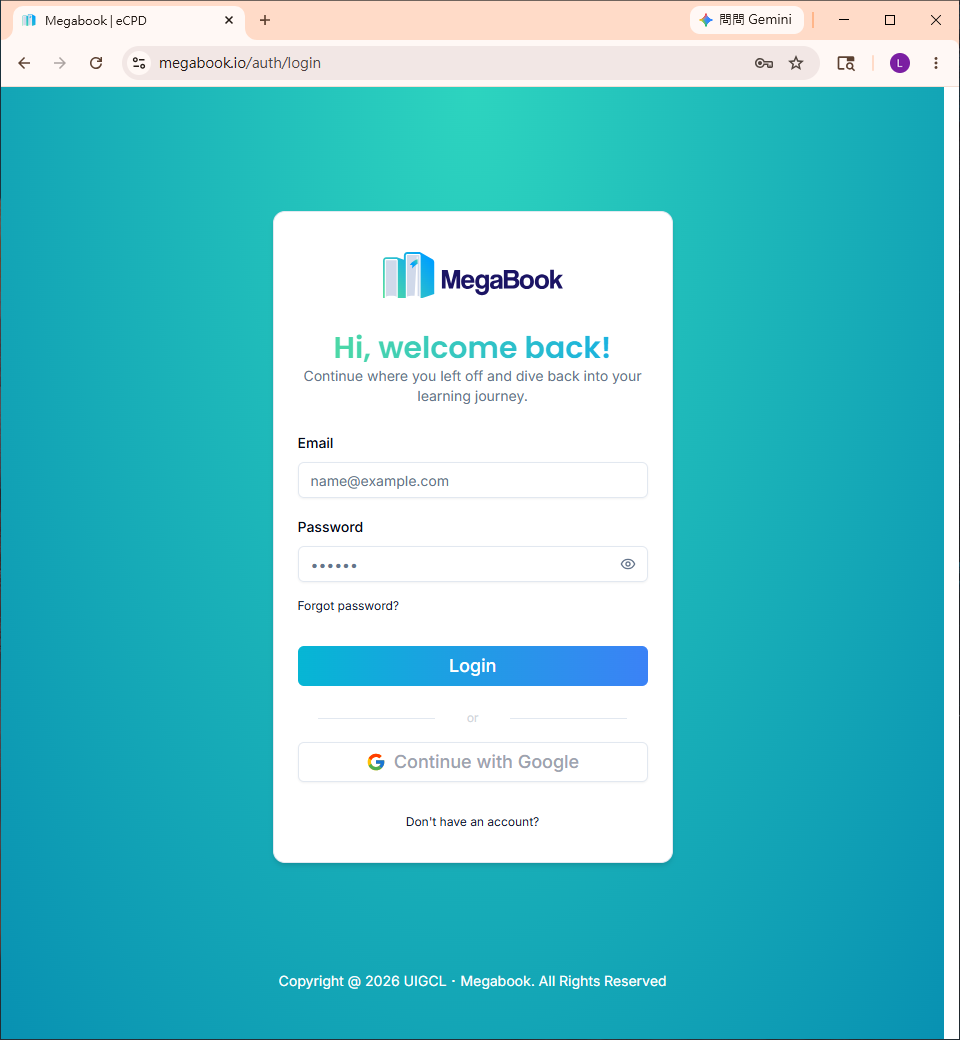
2. Enter Your Email and Password
- Enter your email and password
- Click Login
Forgot your password? See the Forgot Password Guide
3. Retrieve the Verification Code
The system will send an email with a verification code to your inbox.
Example (Gmail):
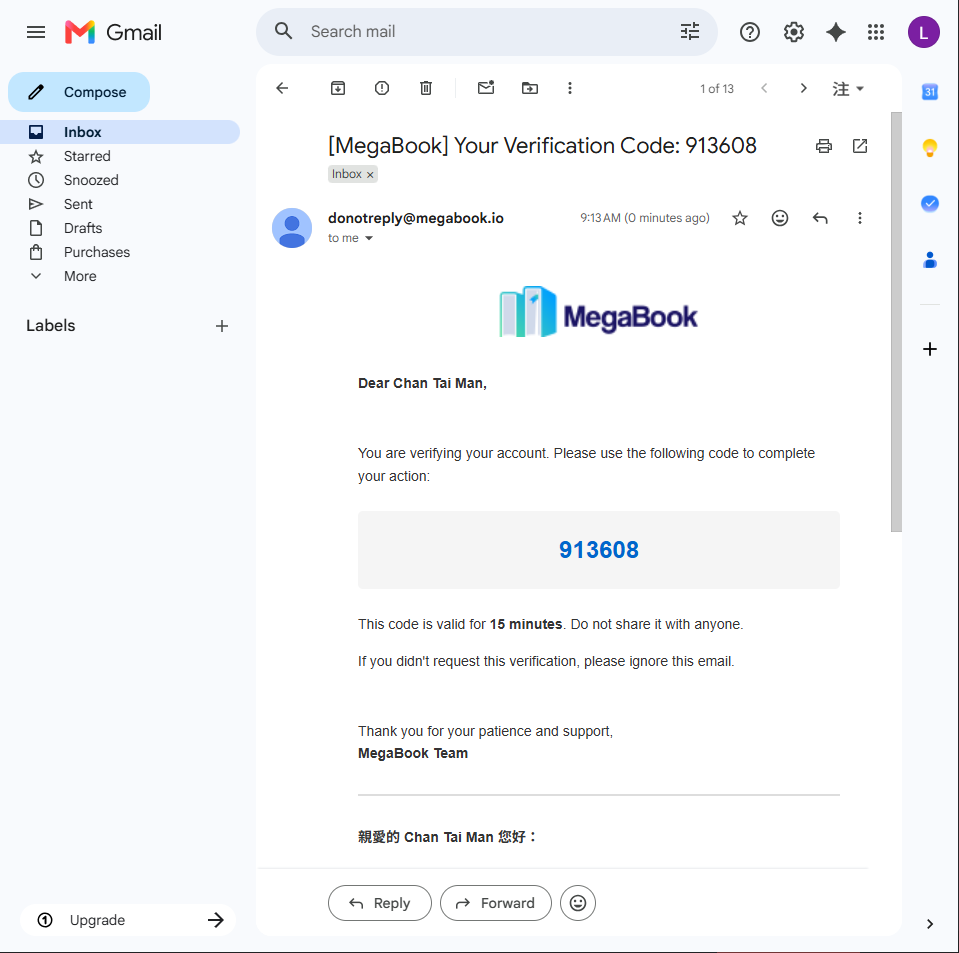
Example verification code: 913608
4. Enter the Verification Code
- Enter the verification code you received on the page
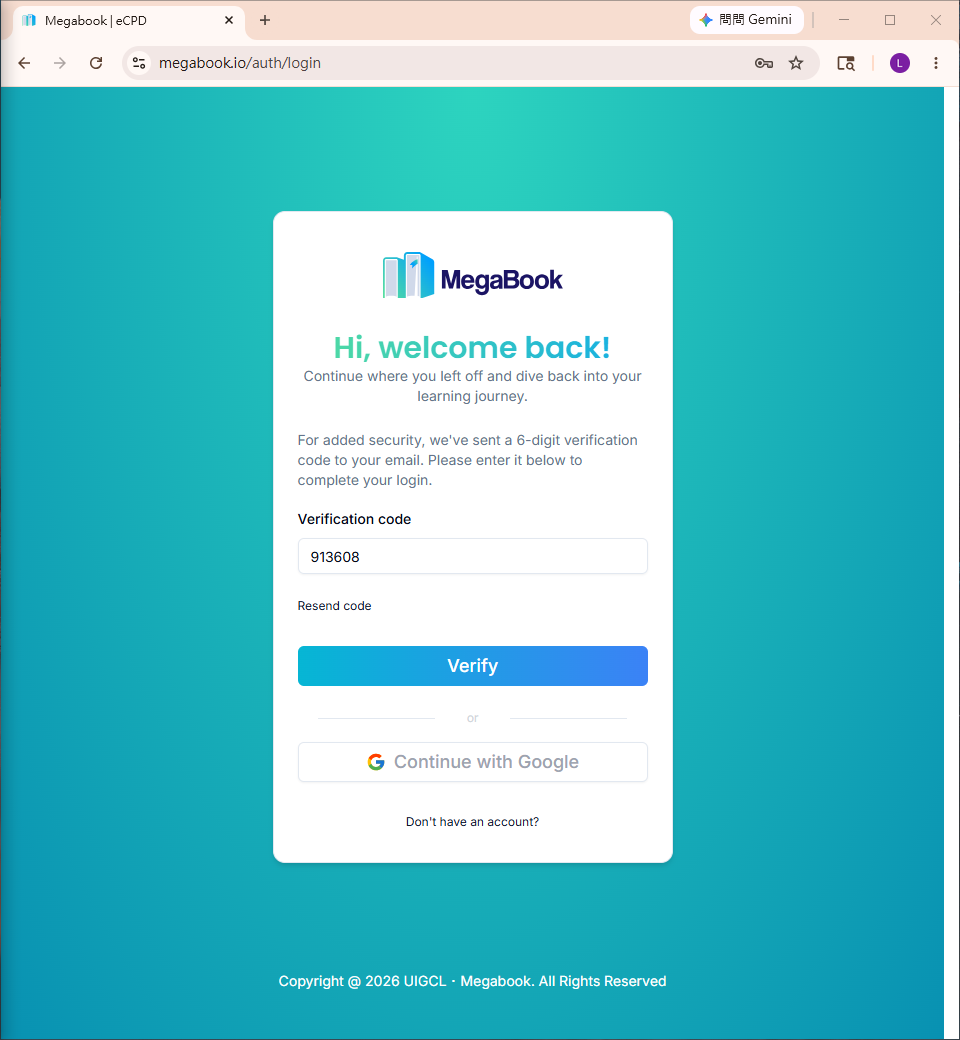
- Click Verify
⏰ The verification code expires in 15 minutes. If it expires, click Resend Verification Code.
5. Login Successful
After successful login, you will be taken to your personal dashboard:
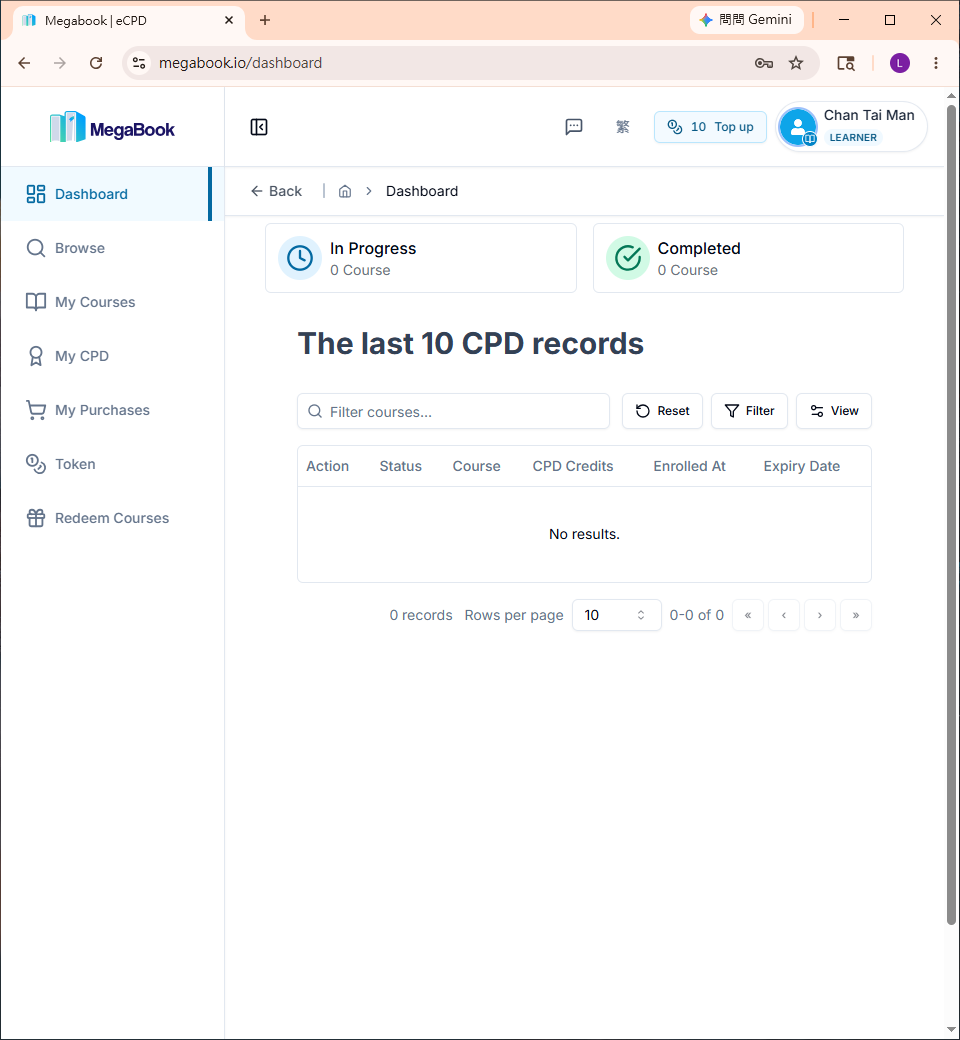
🎉 Welcome back! You can now start using the MegaBook online learning platform.