Membership Upgrade
About Membership Upgrade
| Membership Type | Fee | Key Features |
|---|---|---|
| Basic | Free | Basic learning features |
| Premium | HKD $100 (one-time upgrade fee) | Redeem selected courses with tokens, purchase additional tokens anytime |
Basic membership is free and can be upgraded to Premium membership.
Upgrading to Premium membership requires a licensed insurance intermediary license.
First-time upgrade bonus: After a successful upgrade, you will receive 5 free tokens.
Preparation
Account Preparation
- You already have a Basic member account (if not, please see the Sign Up Guide)
- You have logged in to your account (if you need help, please see the Login Guide)
Required Information & Tools
- Image of your licensed insurance intermediary license (clear digital copy)
- Valid online payment method (e.g.,
AlipayHK, etc.) - Mobile phone capable of scanning QR codes
Membership Upgrade Steps
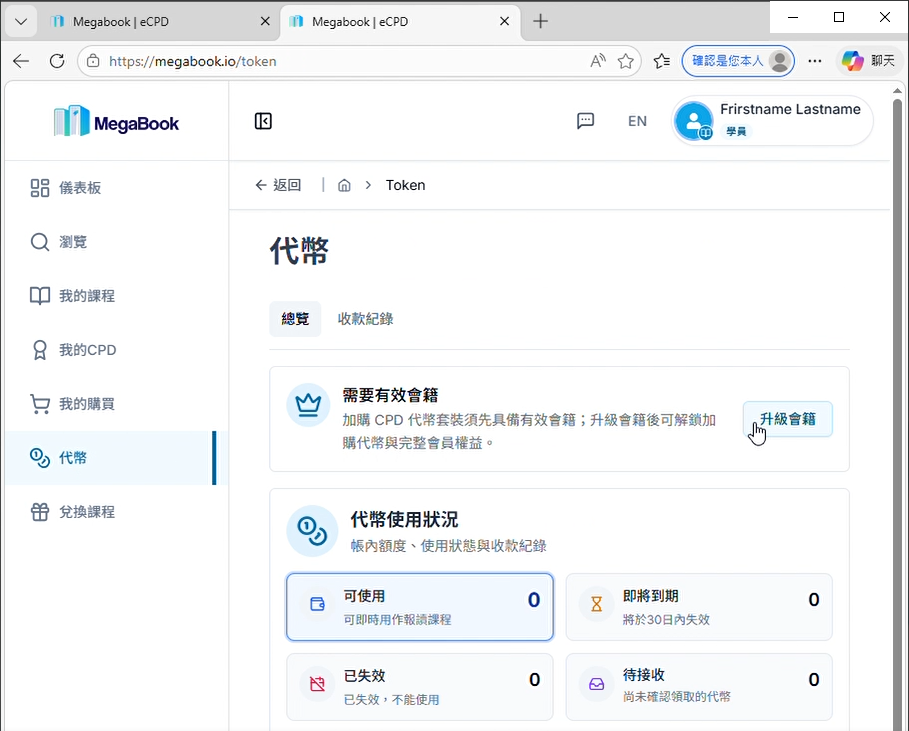
1. Go to the Tokens Page
Open the Tokens Page
2. Upgrade Your Membership
- Click "Upgrade Membership"
- Select "Premium Member"
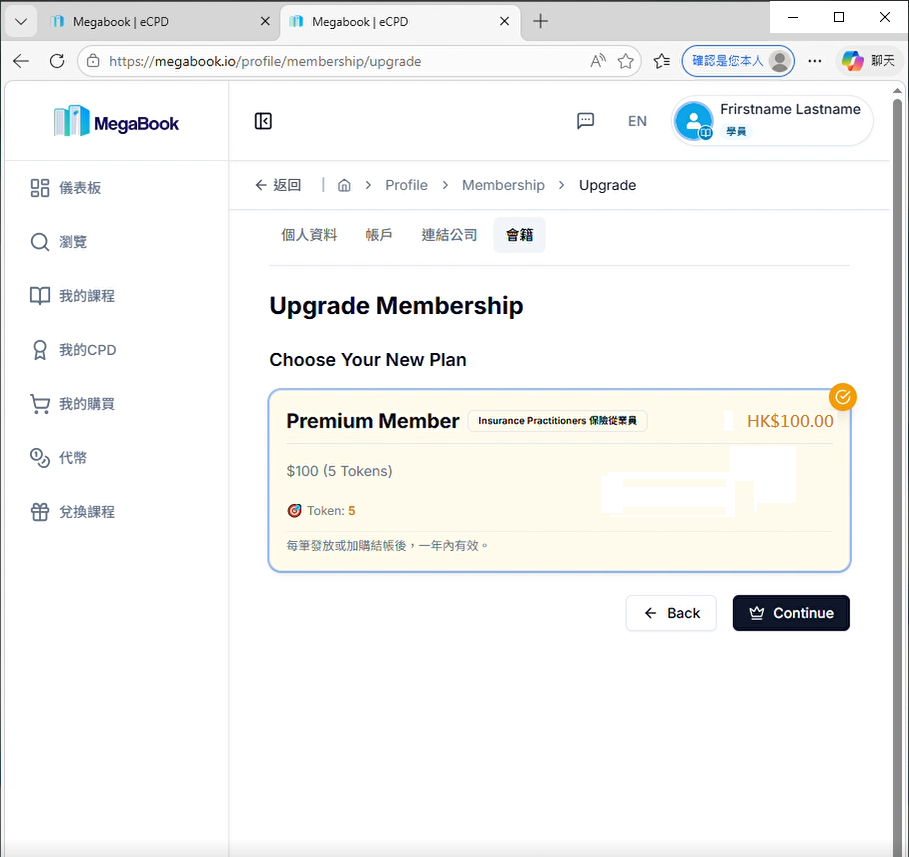
- Click "Continue"
3. Enter License Information
Please fill in the following fields:
- Licensed insurance intermediary license number
- License start date
- License end date
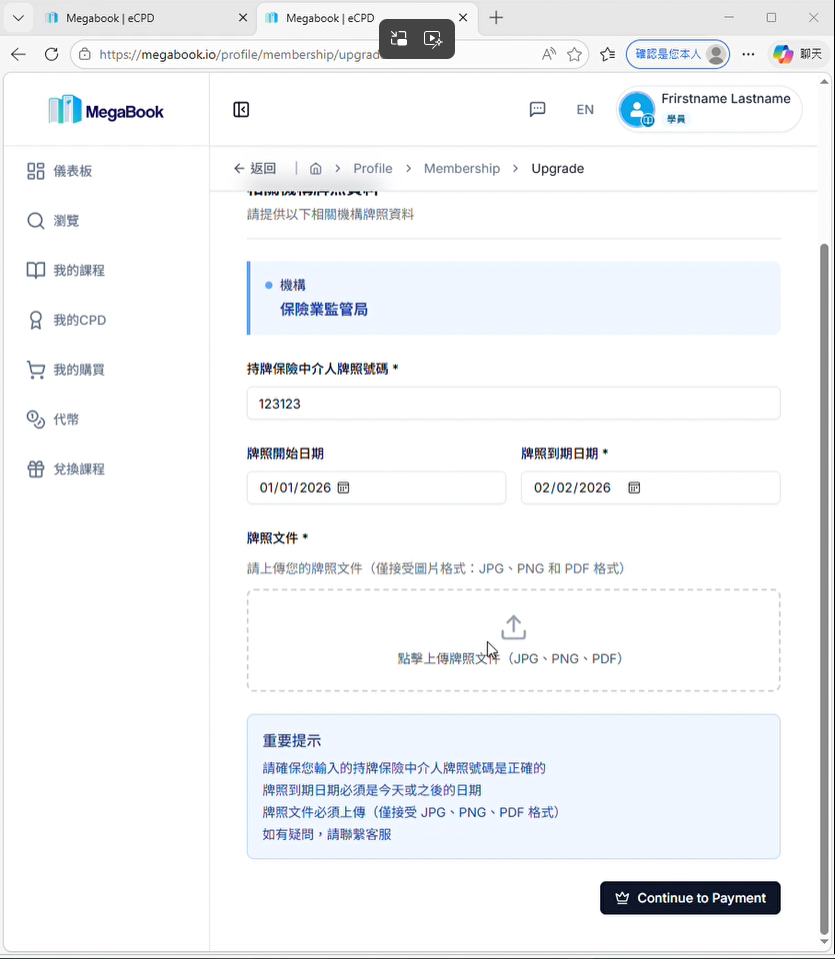
4. Upload License Image
- Click "Click to Upload License Document"
- Select your license image file
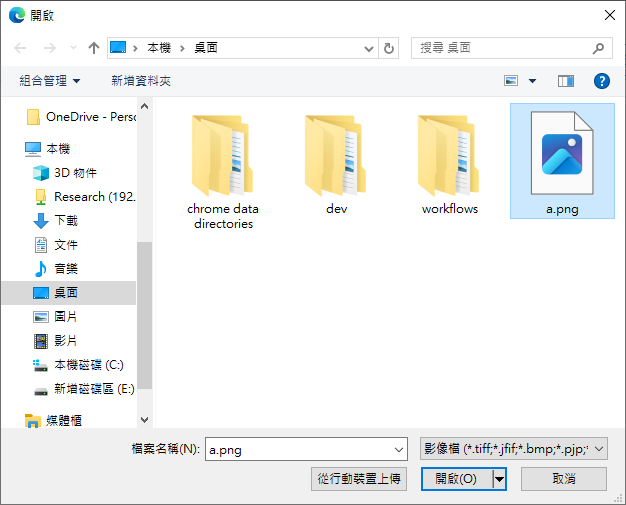
- Click "Open"
- Click "Continue to Payment"
5. Select Payment Method and Submit
- Choose your online payment method
Example: AlipayHK
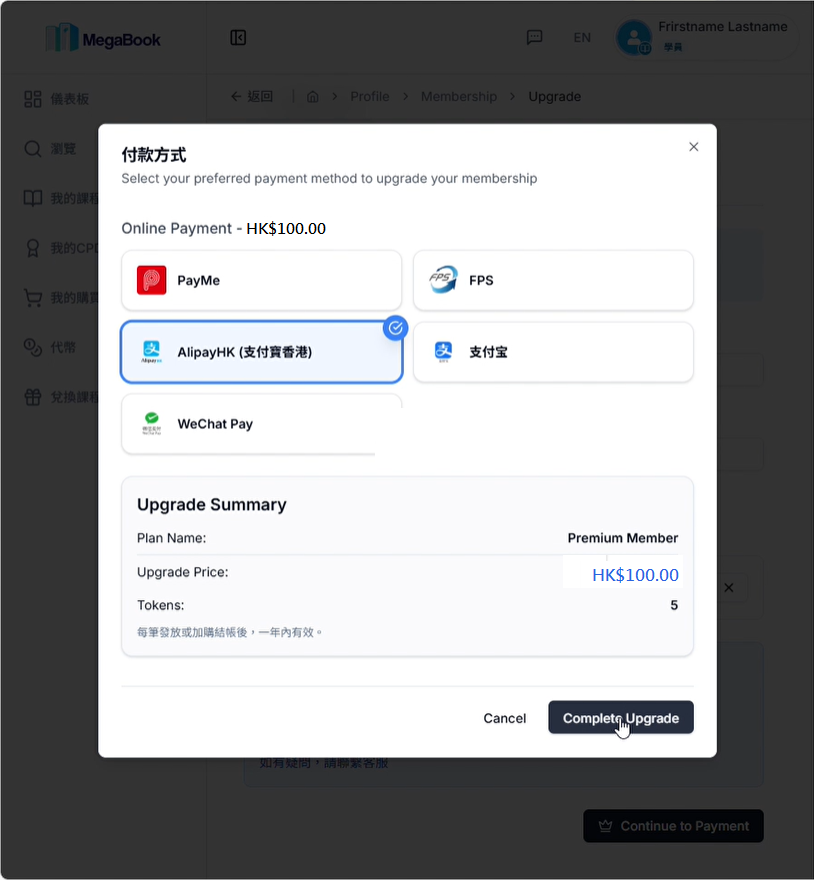
- Click "Complete Upgrade"
You will be redirected to an external payment page.
6. Complete the Payment
The payment page will display a QR Code.
Example: AlipayHK QR Code Payment Page
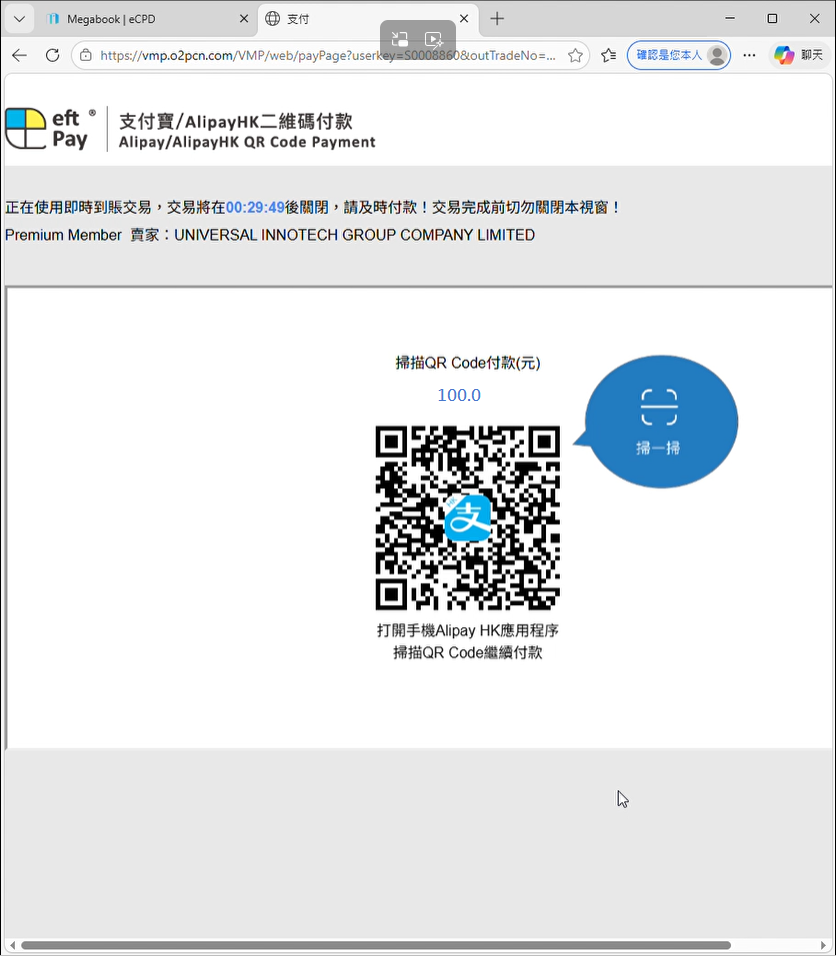
Steps:
- Use your mobile phone to scan the QR code on the screen
- Follow the instructions on your mobile phone to complete the payment
After a successful payment, you will see the following screen:
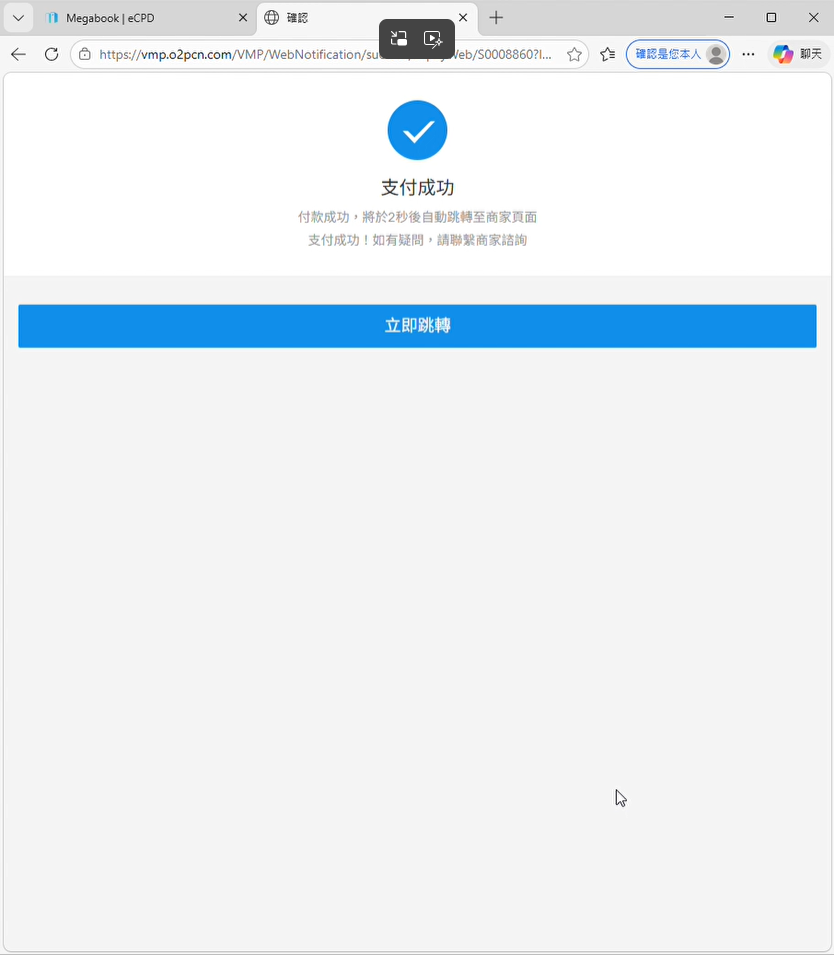
The page will automatically redirect back to MegaBook in 3 seconds.
7. Confirm Upgrade Success
After a successful upgrade, you will see the following screen:
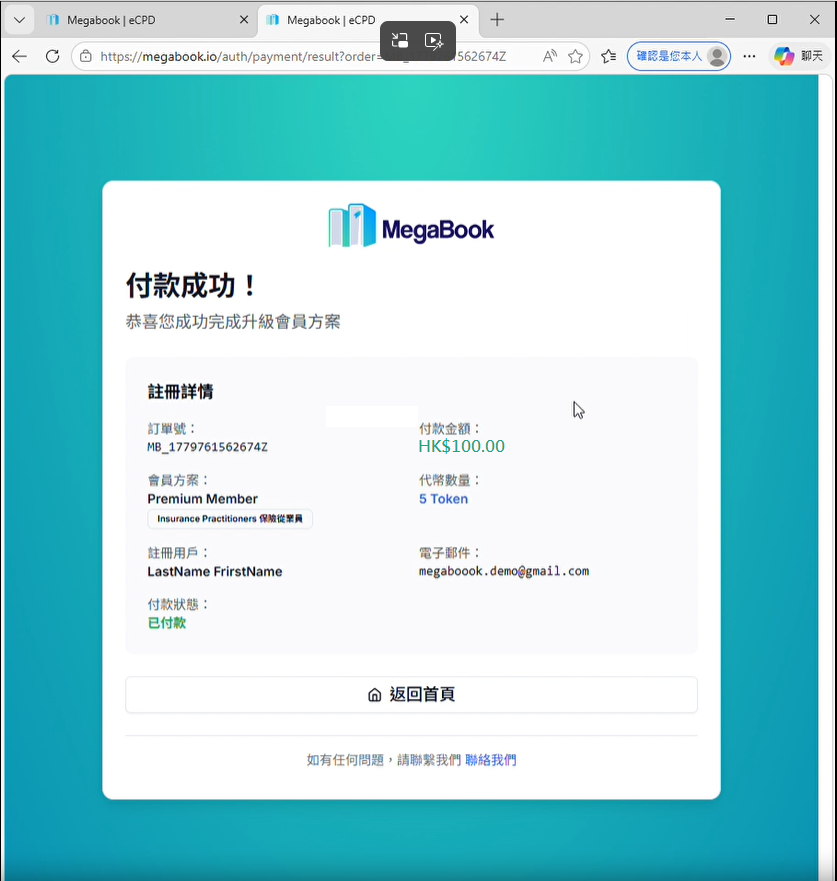
🎉 Congratulations! You have successfully upgraded to Premium membership and can now enjoy all member services.
Frequently Asked Questions
If you have any questions, please contact customer support.