Sign Up
Create an account to access your courses, save your learning progress, pick up where you left off, and get more done in less time.
Preparation
Before you begin, please have the following ready:
- Your personal information (name, phone number, etc.)
- A valid email address
Sign Up Steps
1. Go to the Sign Up Page
- Open the Sign Up Page.
2. Enter Your Email and Verify It
- Enter your email address
- Click "Verify Email"
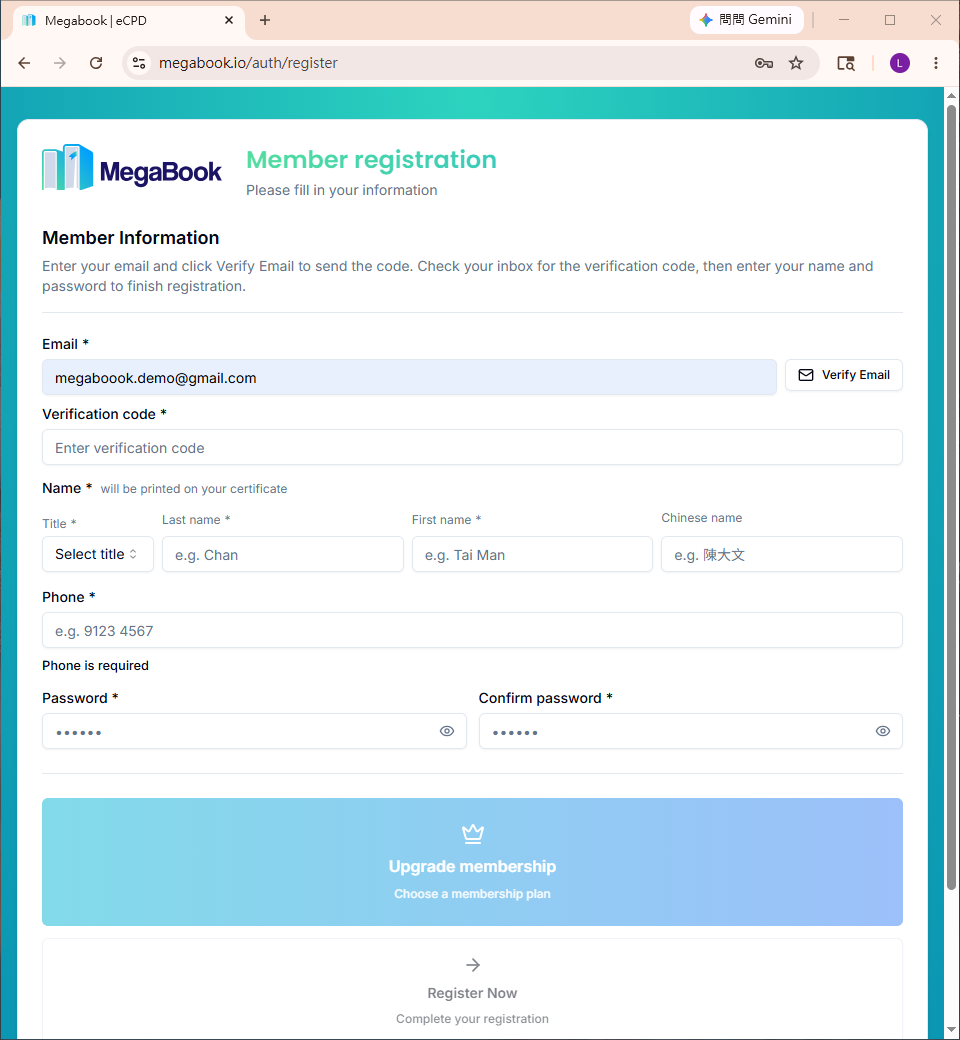
A verification code will be sent to your email inbox.
3. Retrieve the Verification Code
Go to your email inbox and look for the verification email.
Example (Gmail):
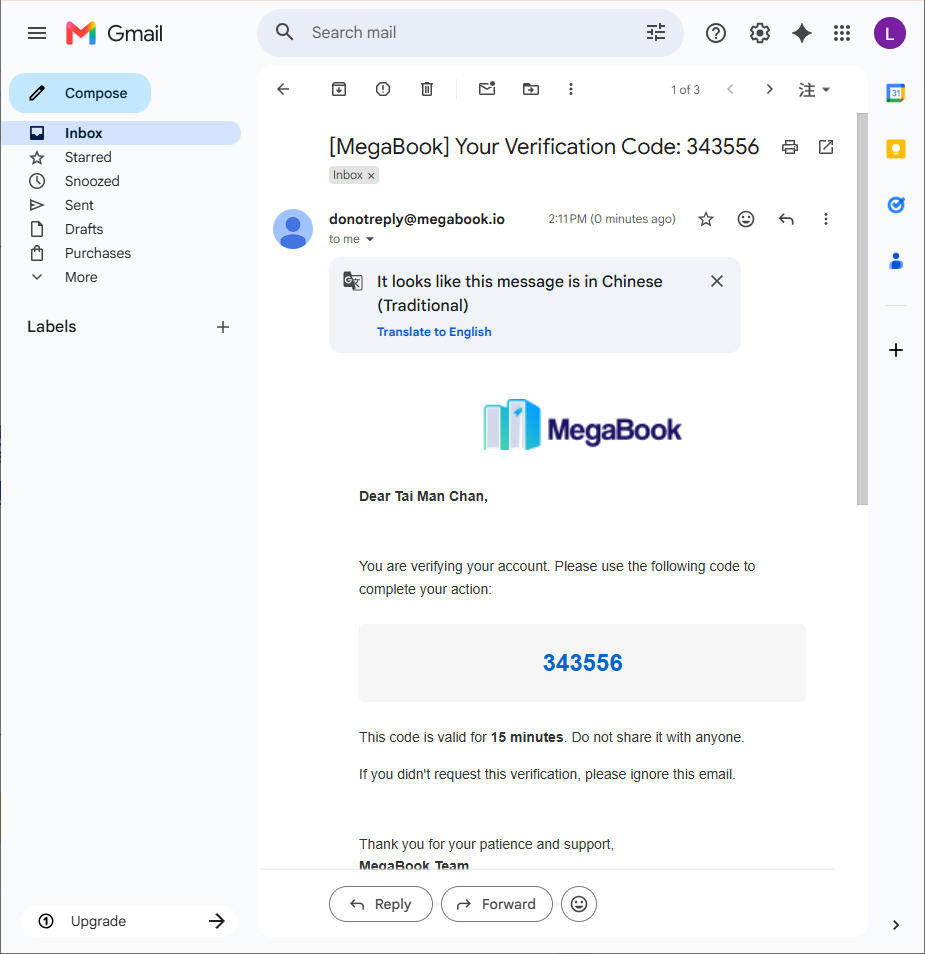
Example verification code: 343556
4. Enter the Verification Code
Enter the code you received on the page.
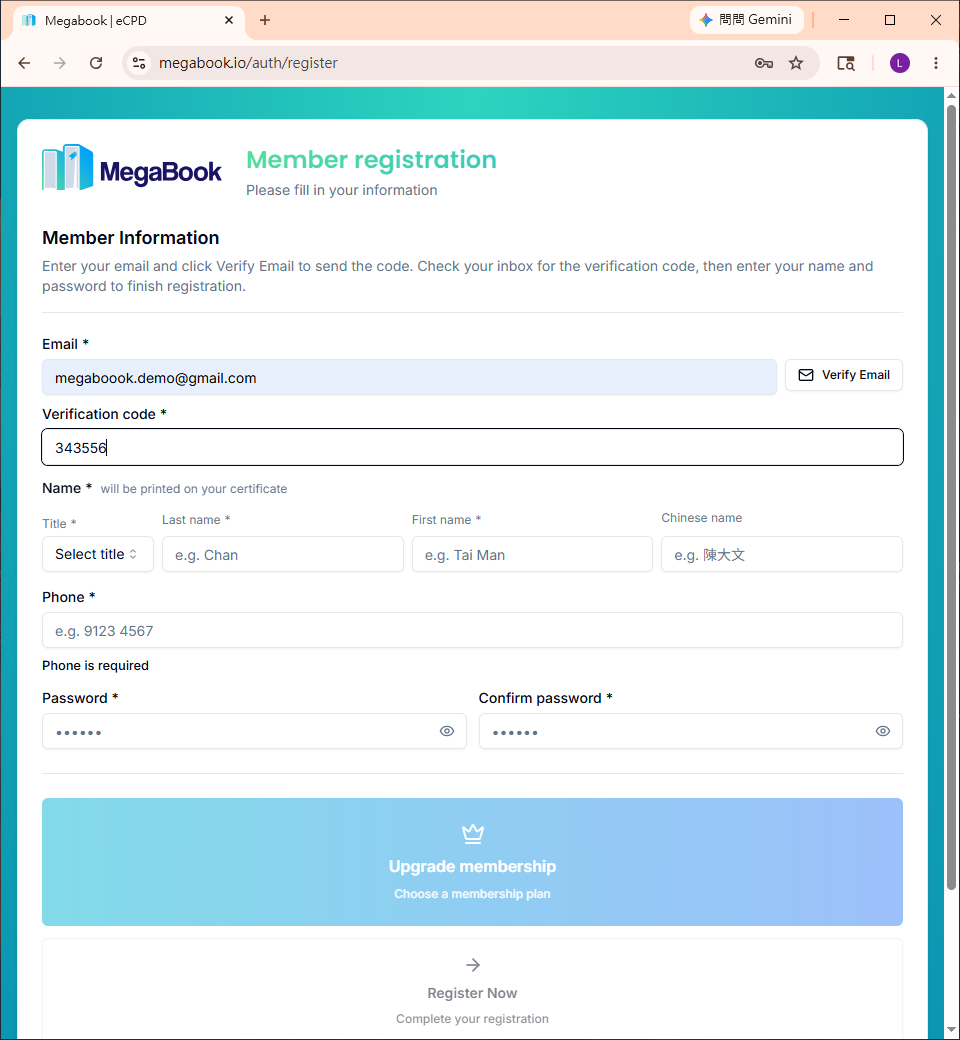
⏰ The verification code expires in 15 minutes. If it expires, please request a new one.
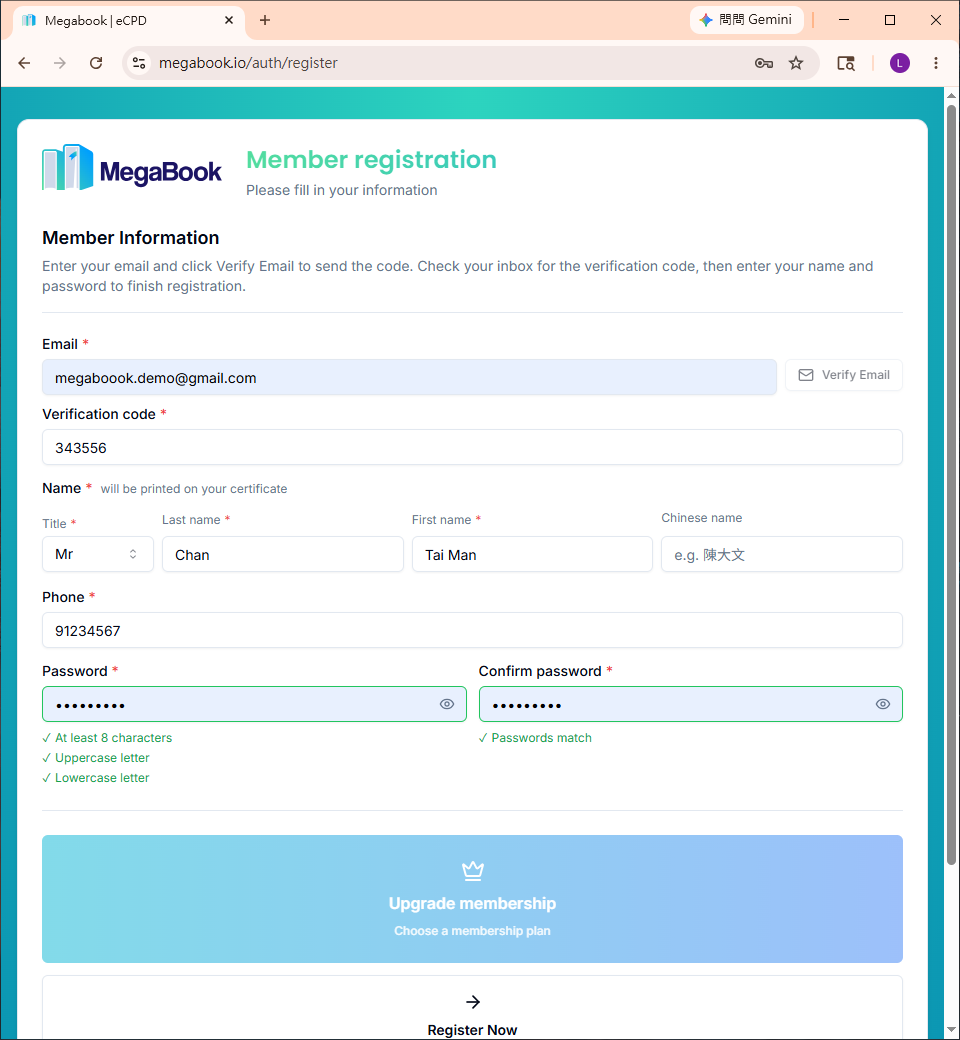
5. Complete Your Personal Information and Sign Up
- Fill in the remaining personal information
- Click "Register Now"
6. Confirm Successful Sign Up
After successful sign up, you will see the following screen:
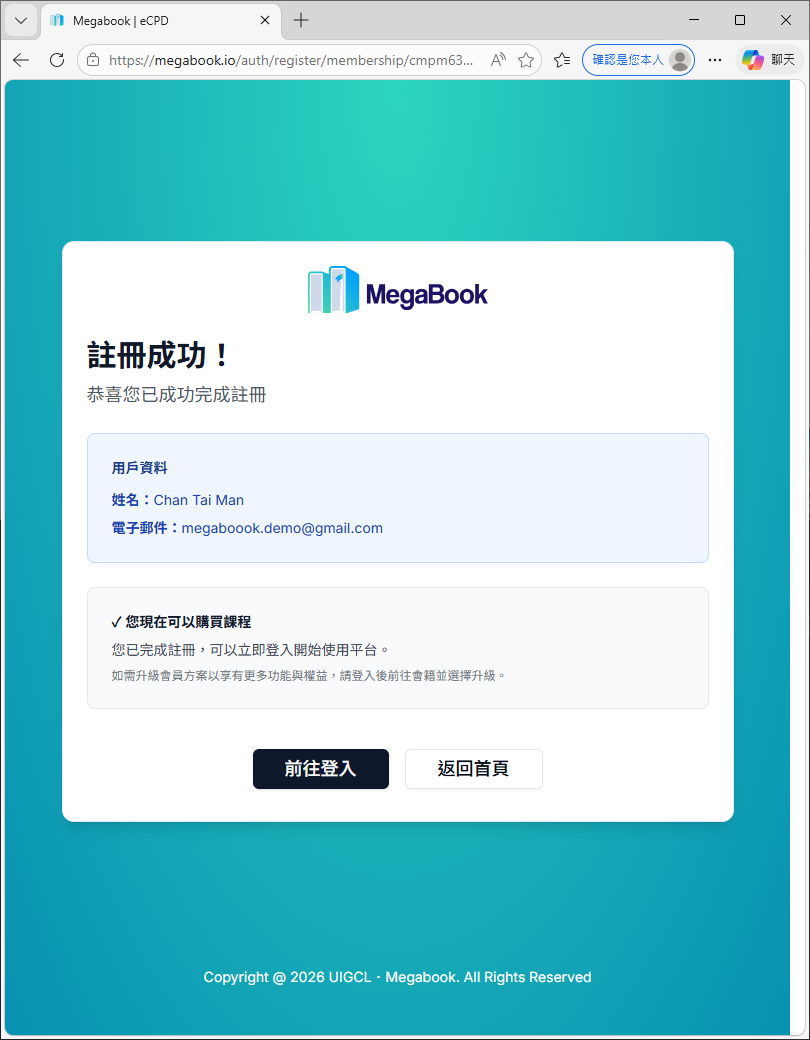
🎉 Congratulations! You can now start your personalized learning experience.
Frequently Asked Questions
Didn't receive the verification email?
- Check your "Spam" or "Promotions" folder
- Wait about 1 minute — the email may still be on its way
- If you still don't see it, return to the sign up page and click "Verify Email" again