Purchase Tokens
Preparation
Account Preparation
- You have an active Premium membership account (if not, please see the Sign Up Guide and Membership Upgrade Guide)
- You have logged in to your account (for help, see the Login Guide)
Required Information & Tools
- Valid online payment method (e.g., AlipayHK, etc.)
- Mobile phone capable of scanning QR codes
Token Purchase Steps
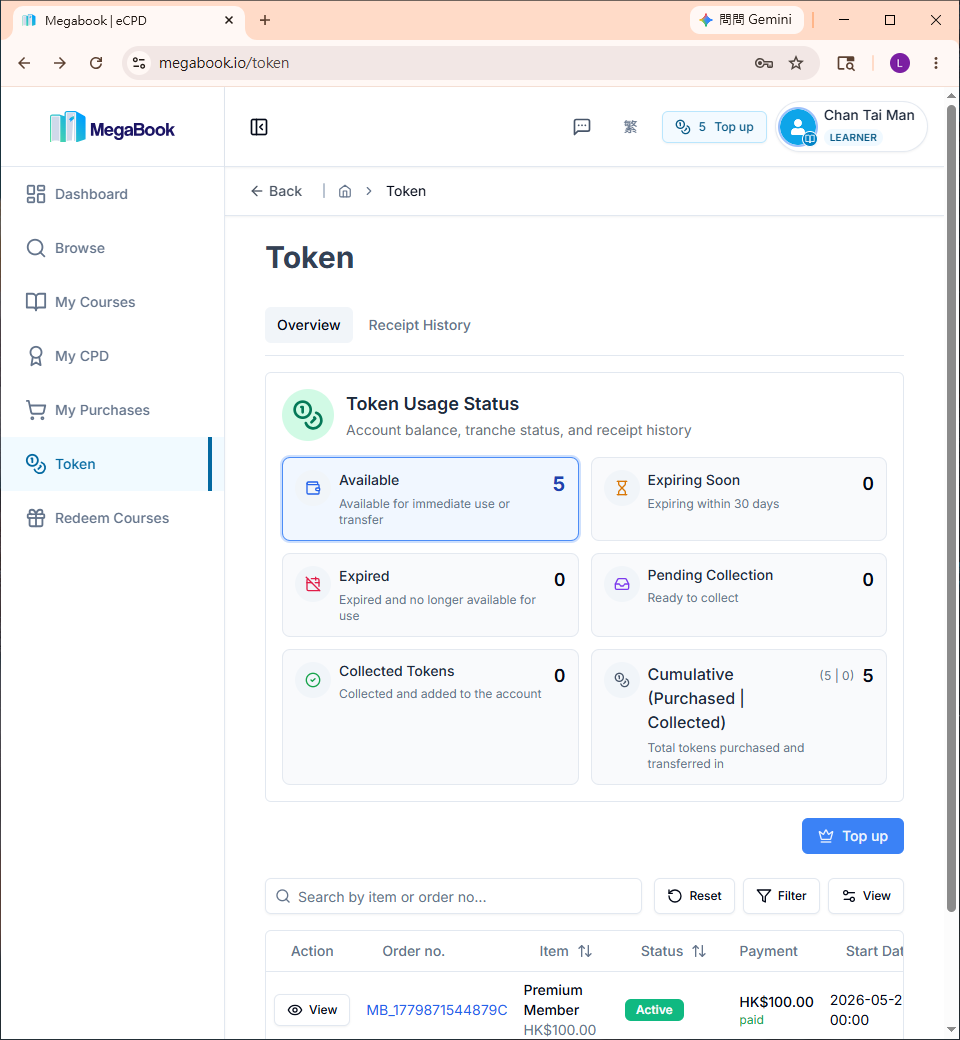
1. Go to the Tokens Page
Open the Tokens Page.
2. Purchase Tokens
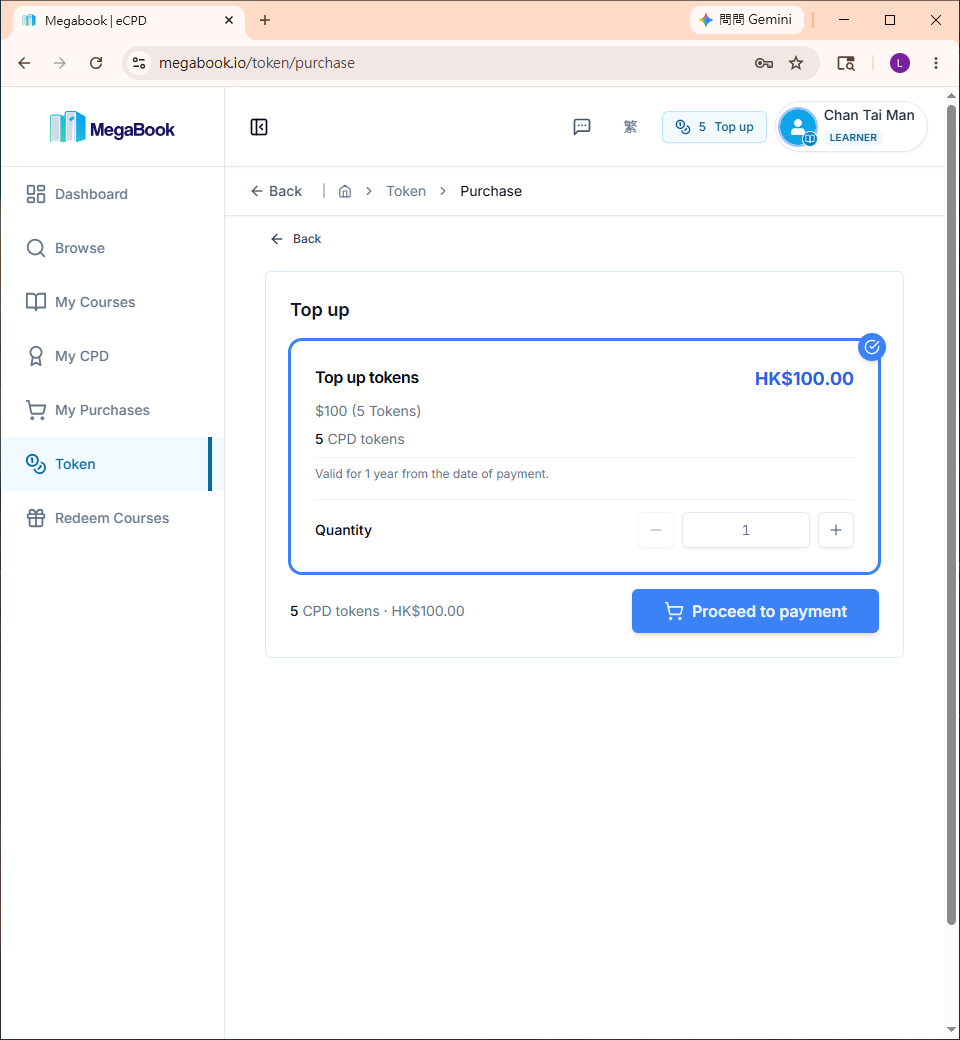
- Click "Top up"
- Click "Proceed to payment"
3. Select Payment Method and Submit
- Choose your online payment method
Example: AlipayHK
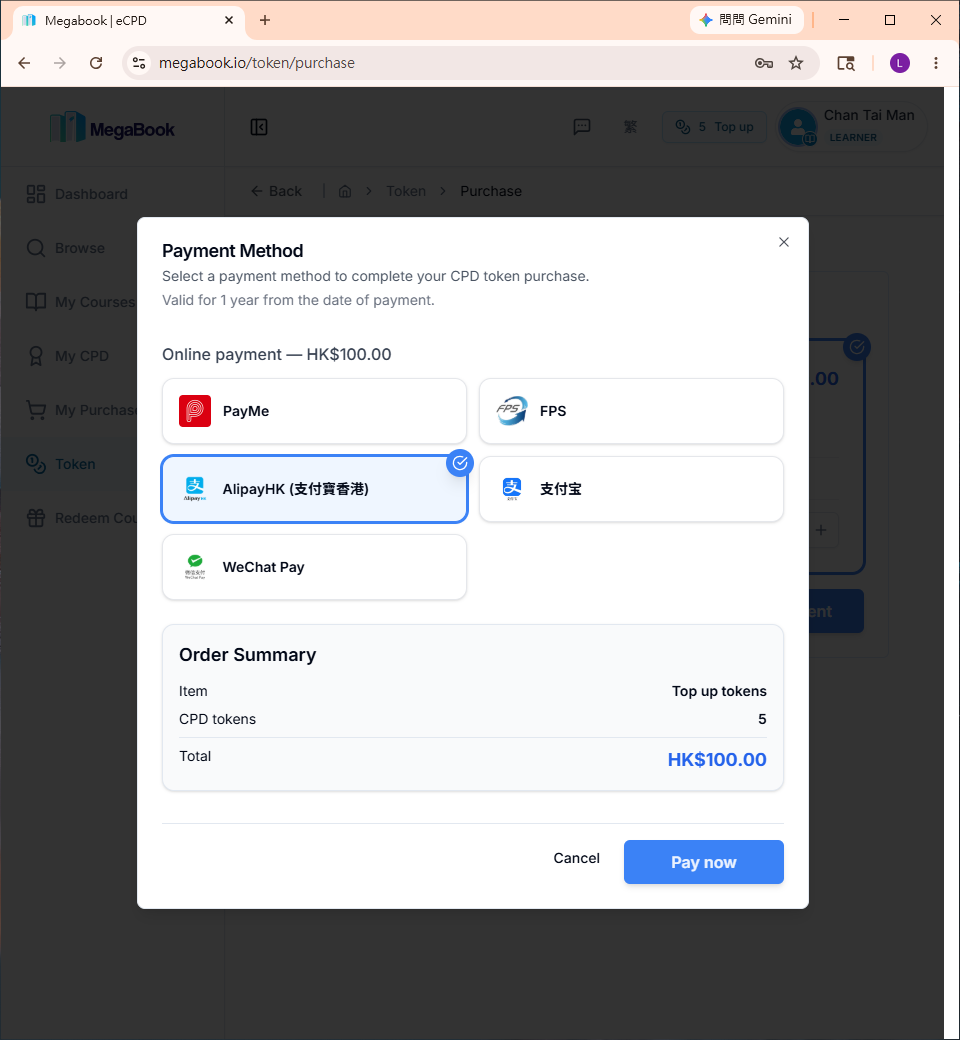
- Click "Pay now"
You will be redirected to an external payment page.
4. Complete the Payment
The payment page will display a QR Code.
Example: AlipayHK QR Code Payment Page
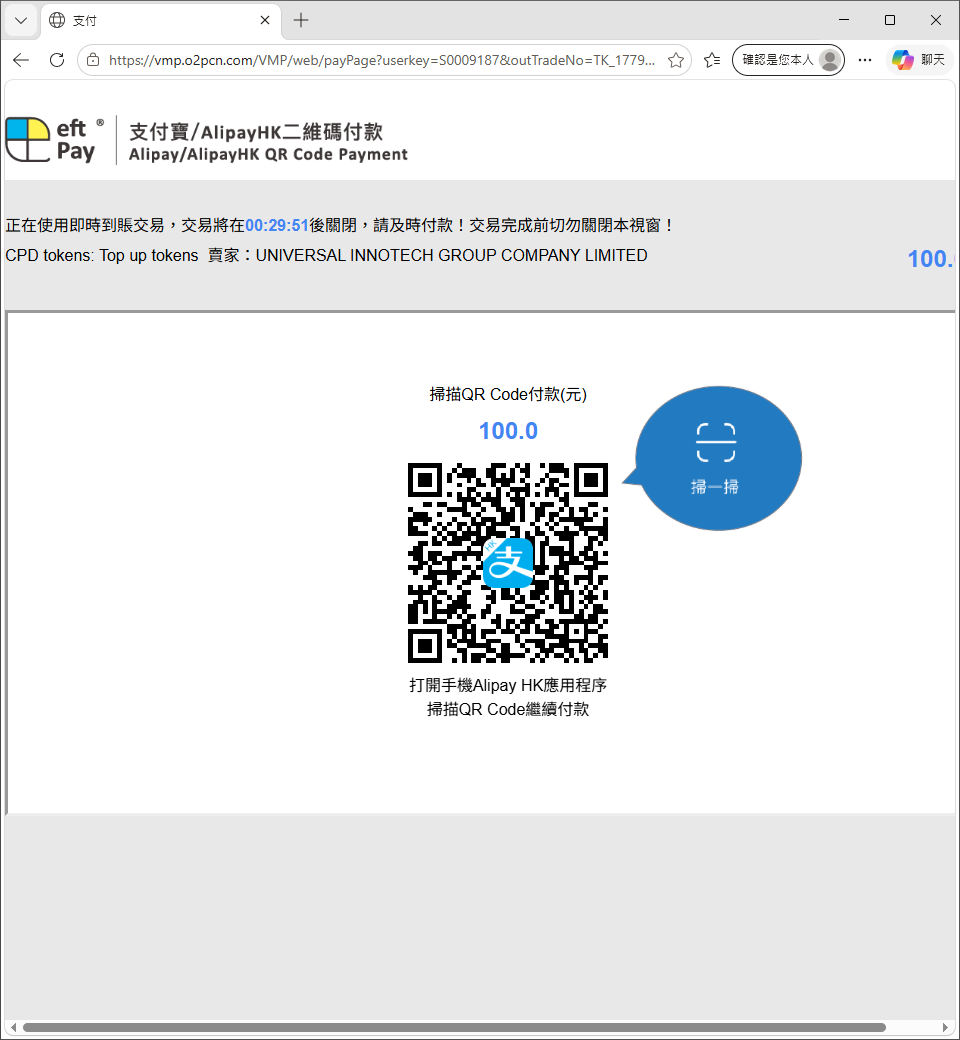
Steps:
- Use your mobile phone to scan the QR code on the screen
- Follow the instructions on your mobile phone to complete the payment
After a successful payment, you will see the following screen:
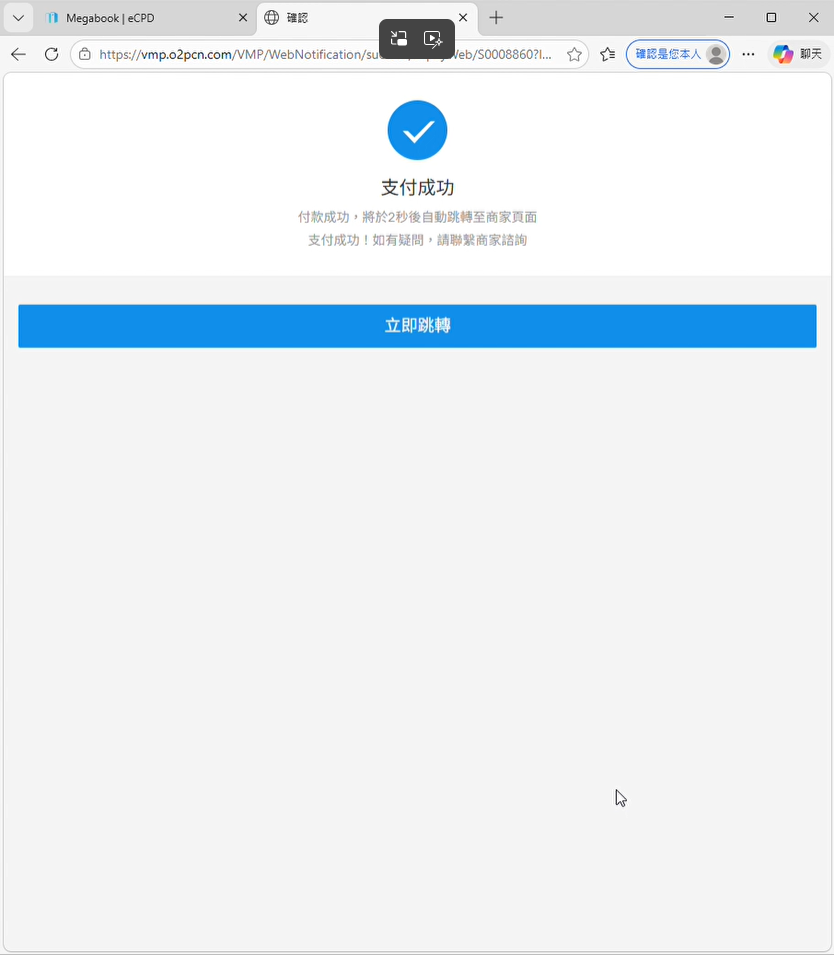
The page will automatically redirect back to MegaBook in 3 seconds.
5. Confirm Successful Purchase
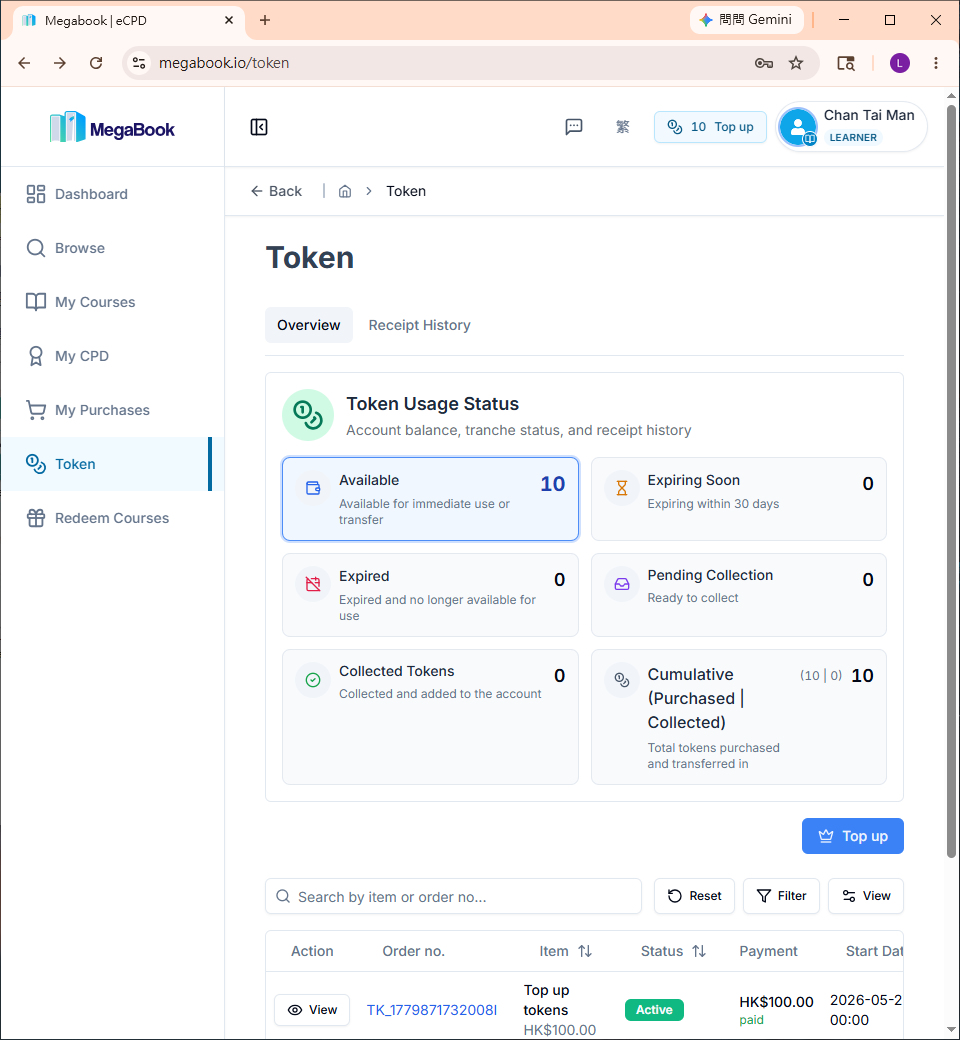
After a successful purchase, you will be taken to the Tokens Page.
Verify that your token balance has increased:
- The first row of the order table will show your token purchase order.
Example: Order No. TK_1779871732008I - If the tokens have been successfully added, the order status will show as "Active"
Frequently Asked Questions
What should I do if the payment was successful but tokens were not added?
-
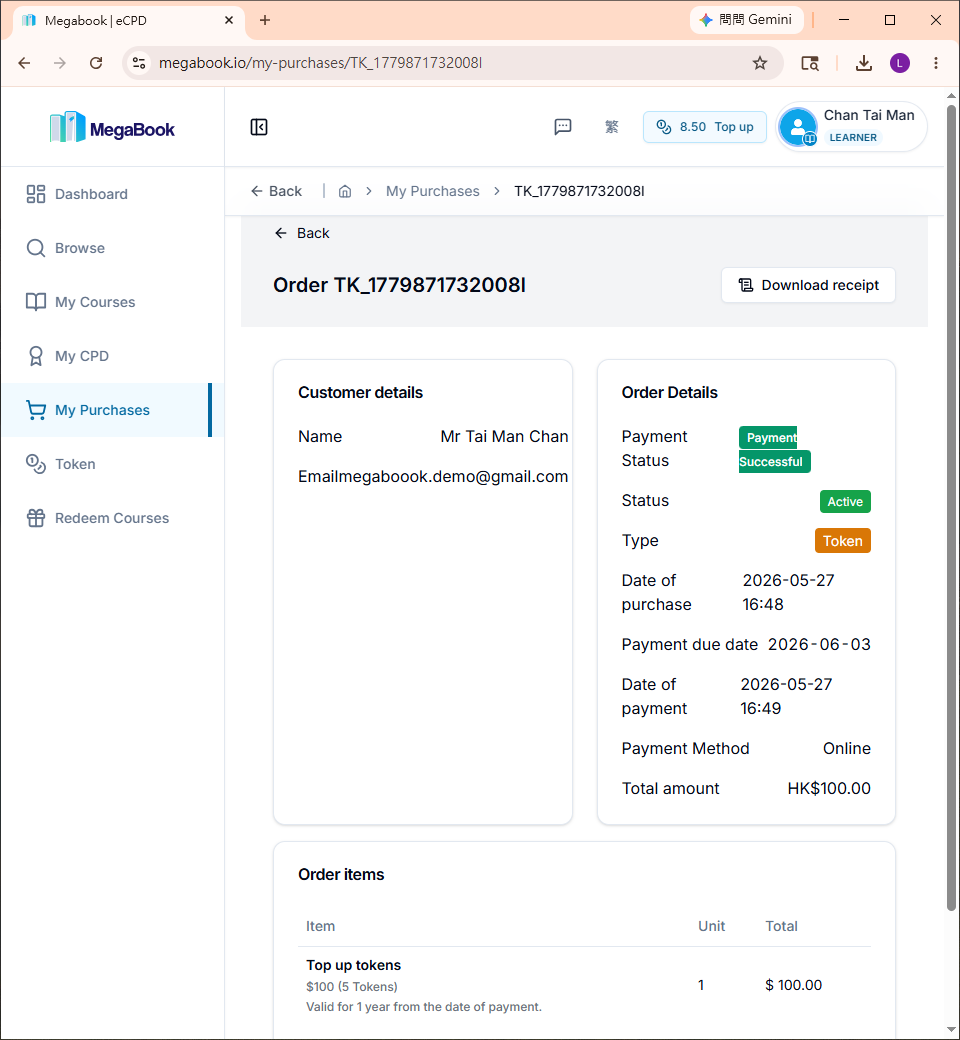
On the left side of the order record, click "👁️View"
-
Check the Payment Status
| Payment Status | Description |
|---|---|
| "Payment Successful" | The system will automatically add tokens to your account shortly. Please refresh the page after a moment. |
| "Payment Successful" not shown | Please complete the payment process again, or restart the token purchase process. |
If you still have not received your tokens after a long period, please contact customer support and provide a screenshot of the successful payment.