Forgot Password
If you have forgotten your password, follow the steps below to set a new one.
Preparation
Before you begin, please make sure you have a member account.
Don't have an account yet? Please see the Sign Up Guide.
Steps
1. Go to the Forgot Password Page
- Open the Login Page
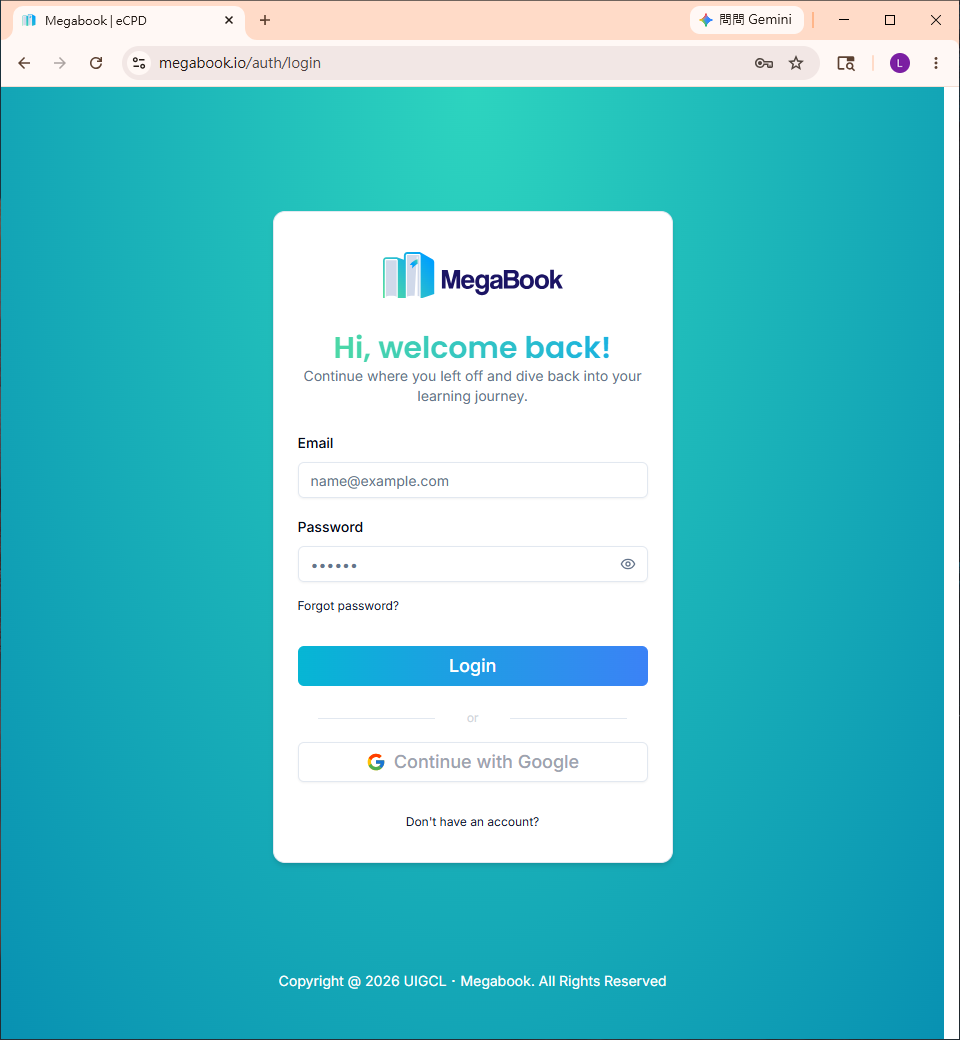
- Click "Forgot Password?"
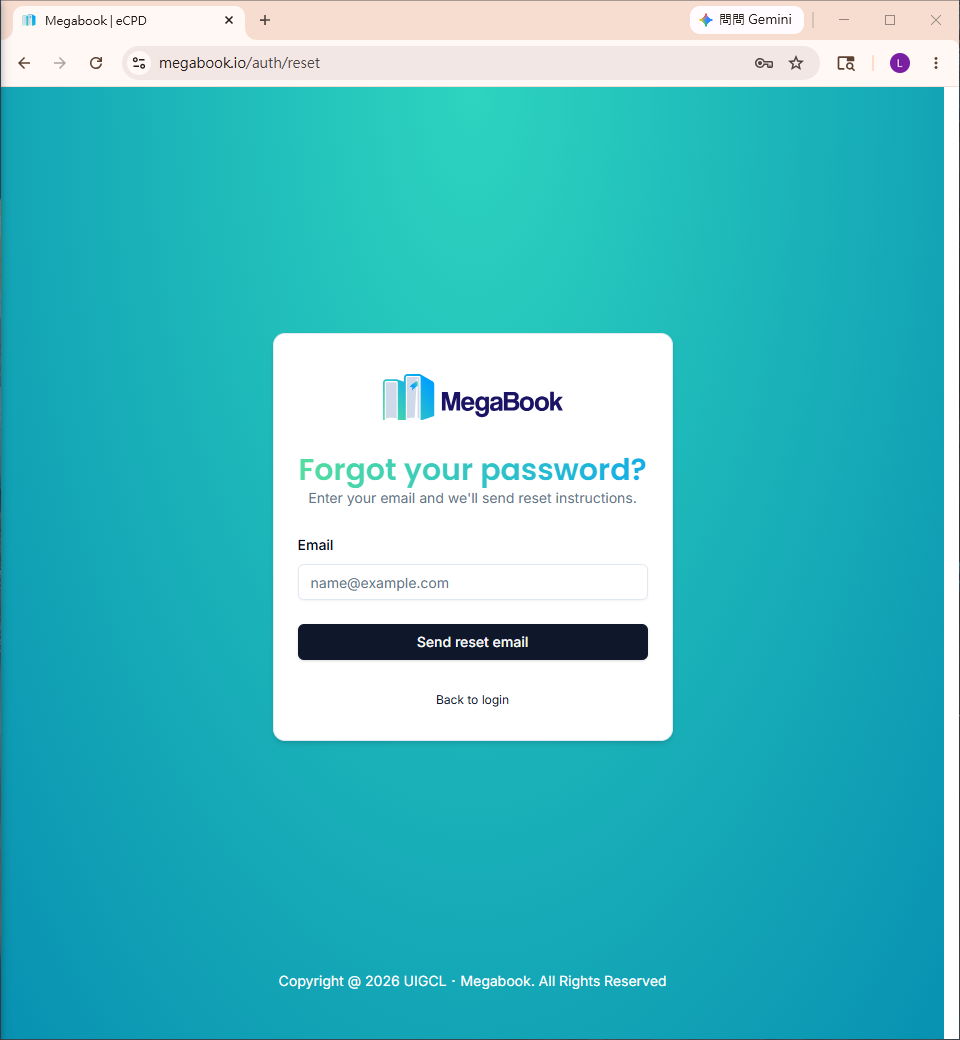
2. Enter Your Email and Submit
- Enter your email address
- Click "Send reset email"
3. Retrieve the Password Reset Link
The system will send an email containing a password reset link.
Example (Gmail):
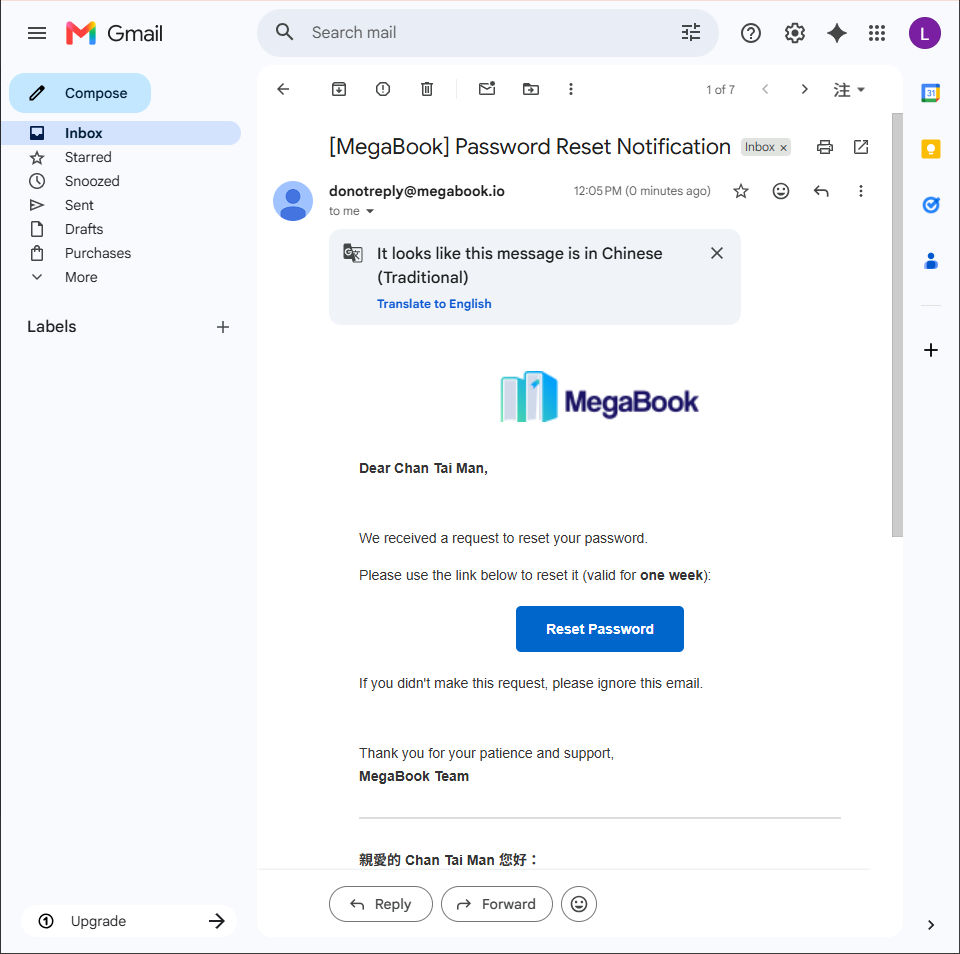
Click the "Reset Password" button in the email.
4. Set a New Password
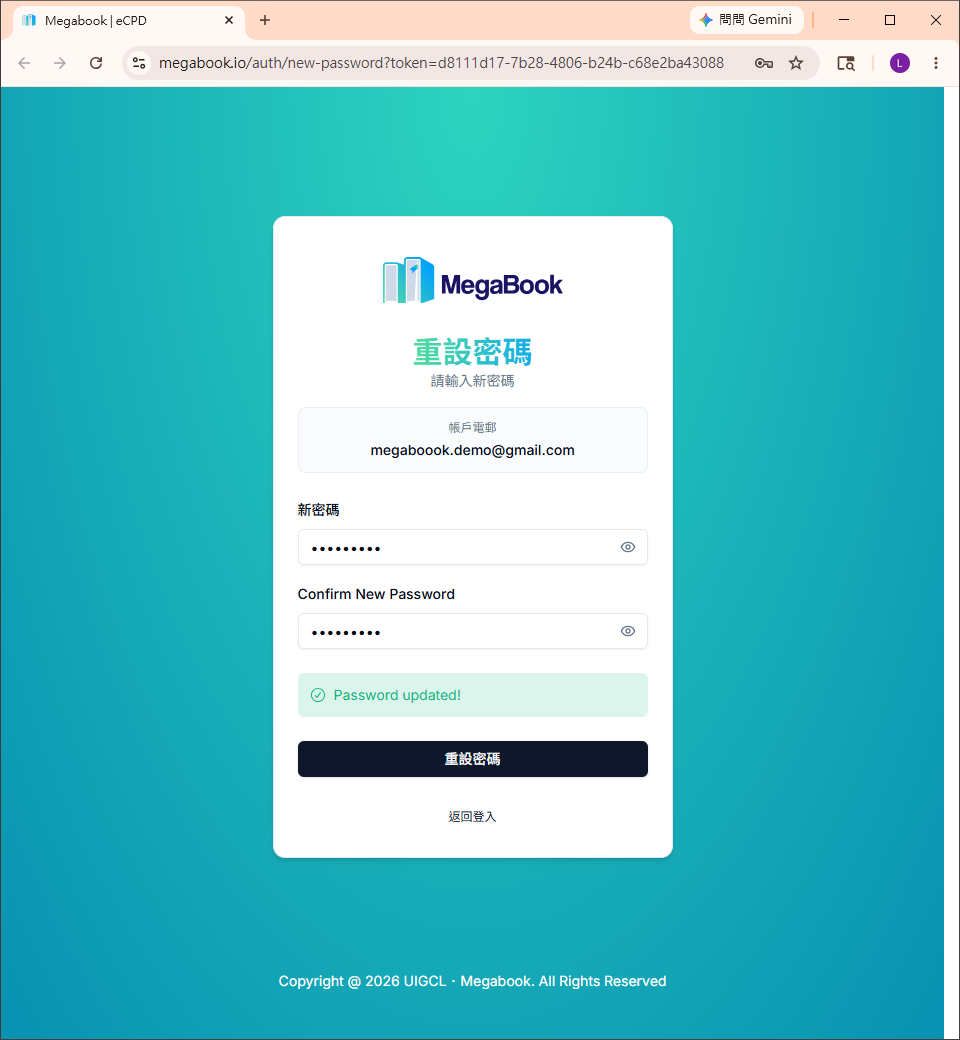
- Enter your new password in the "New Password" and "Confirm New Password" fields
- Click "Reset Password"
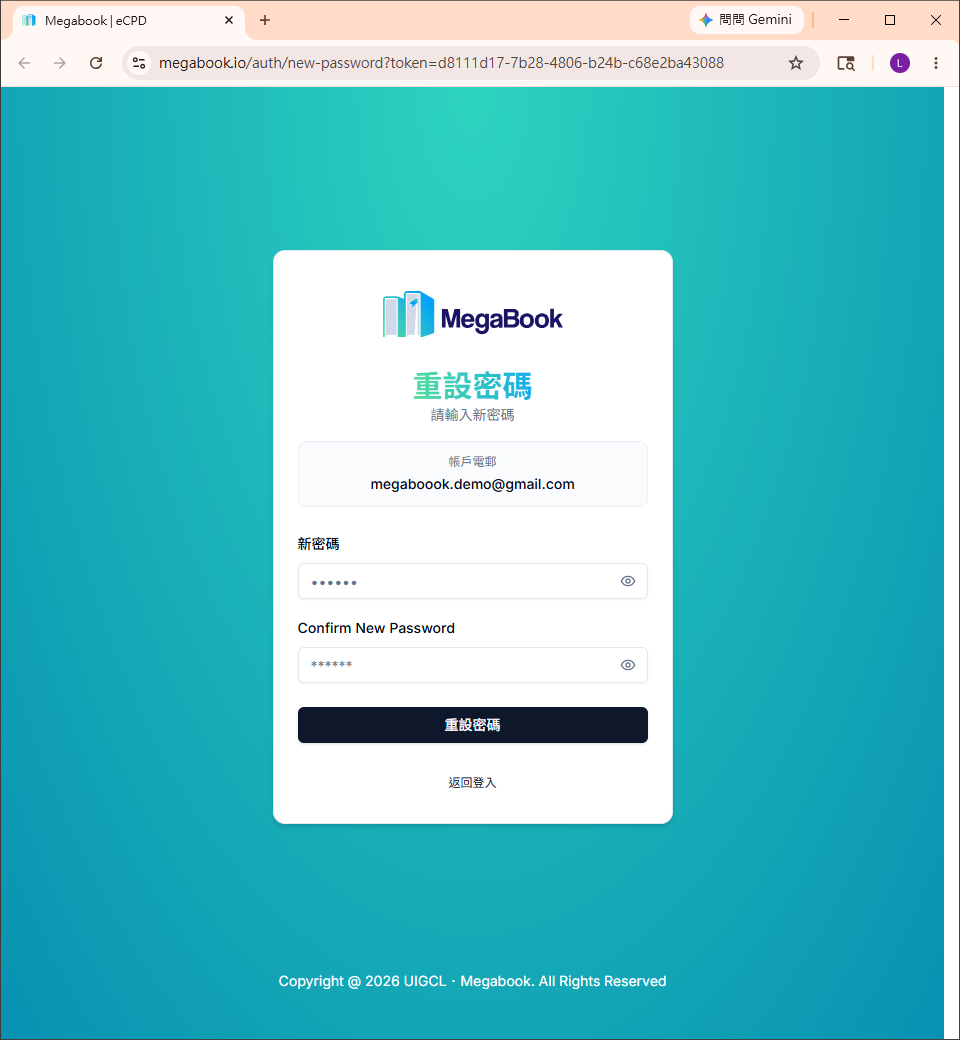
After a successful reset, you will see the following screen:
5. Return to the Login Page
Click "Back to login" to log in again with your new password.
Frequently Asked Questions
Didn't receive the password reset email?
- Check your "Spam" or "Promotions" folder
- Wait about 1 minute — the email may still be on its way
- Make sure the email address you entered is the one you used to register
⏰ The password reset link expires in 1 week. Please use it as soon as possible after receiving the email.